For most businesses, WhatsApp sits at the end of the customer journey. Someone clicks an advert, fills in a form, ignores the follow-up email and, if you are lucky, eventually has a conversation. WhatsApp lead generation flips that order: the conversation starts the moment interest peaks, and your CRM fills up with qualified leads instead of bare names.
Timing is everything. A 2011 study published in Harvard Business Review found that firms contacting a lead within an hour were nearly seven times as likely to qualify it as those that waited even an hour longer, and more than 60 times as likely as those that waited 24 hours or more[1]. WhatsApp lets you respond in seconds, on an app 90% of UK online adults already use[2].
This guide shows how to capture, qualify and convert leads through WhatsApp, how to connect it all to HubSpot, and what to do when a message doesn't get through.
Why traditional lead capture leaks
A typical digital campaign looks like this: advert, landing page, form, automated email, sales call. It works, but every step is a chance to lose the lead.
- Emails go unread - the follow-up lands in a crowded inbox, hours after the moment of interest.
- Calls go unanswered - many people won't pick up an unknown number.
- Forms carry little context - sales receives "New lead: John Smith" and has to start from scratch.
By the time someone follows up personally, the reason they enquired may have passed. WhatsApp lets you continue the conversation straight away, in the same app they use to talk to friends and family.
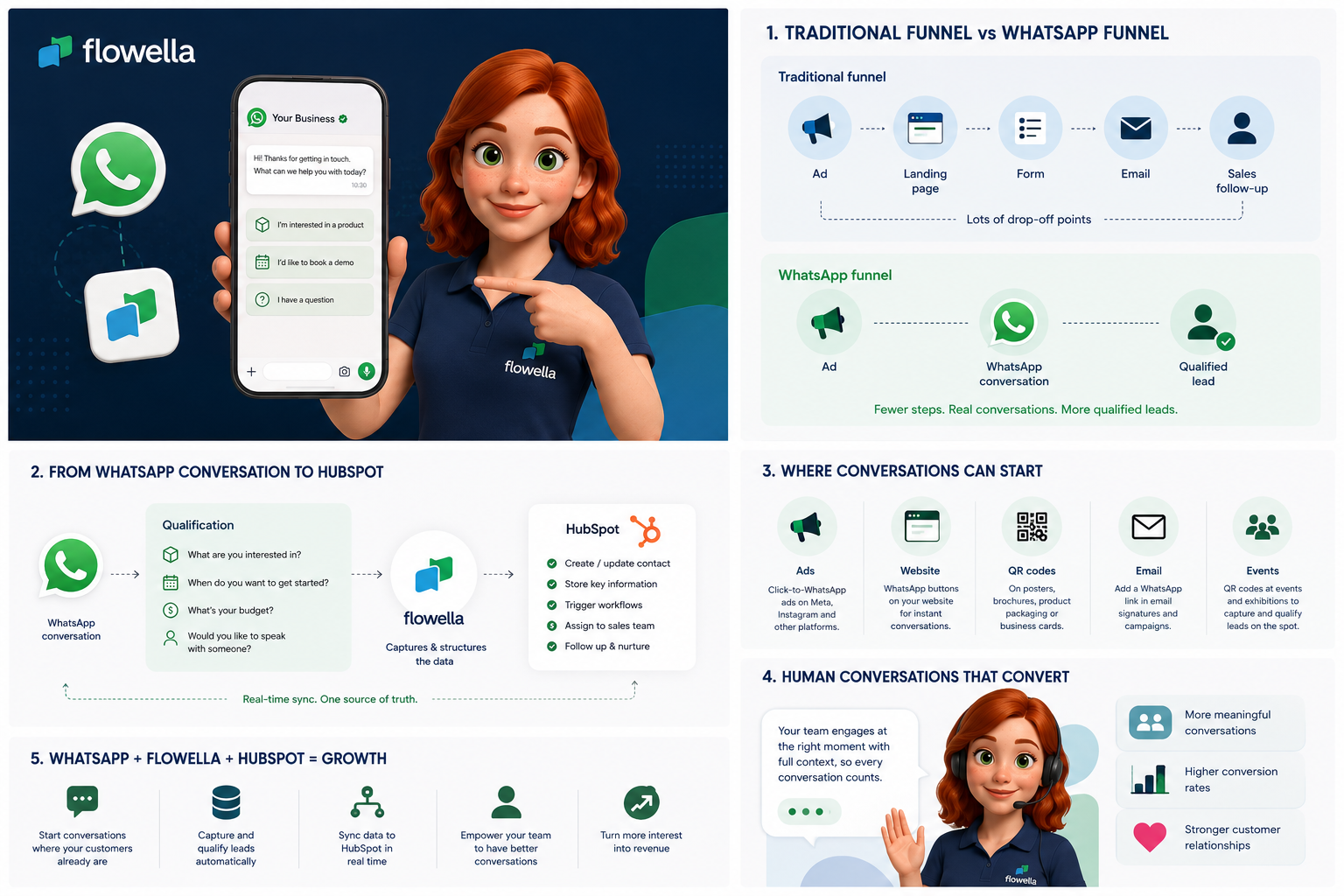
How WhatsApp lead generation works: from first click to qualified lead
Leads can enter a WhatsApp journey from three places:
- Click-to-WhatsApp ads - Facebook and Instagram adverts that open a WhatsApp chat instead of a landing page. Flowella records Meta's click ID so you can attribute each lead to the ad. When someone messages you from one of these ads and you reply within 24 hours, Meta opens a 72-hour window in which all your messages are free[3].
- Web and lead forms - a HubSpot form submission triggers a WhatsApp message a few seconds later. See how HubSpot sends WhatsApp confirmations.
- Links and QR codes - on your website, email signatures, brochures and event stands, using tracked entry points.
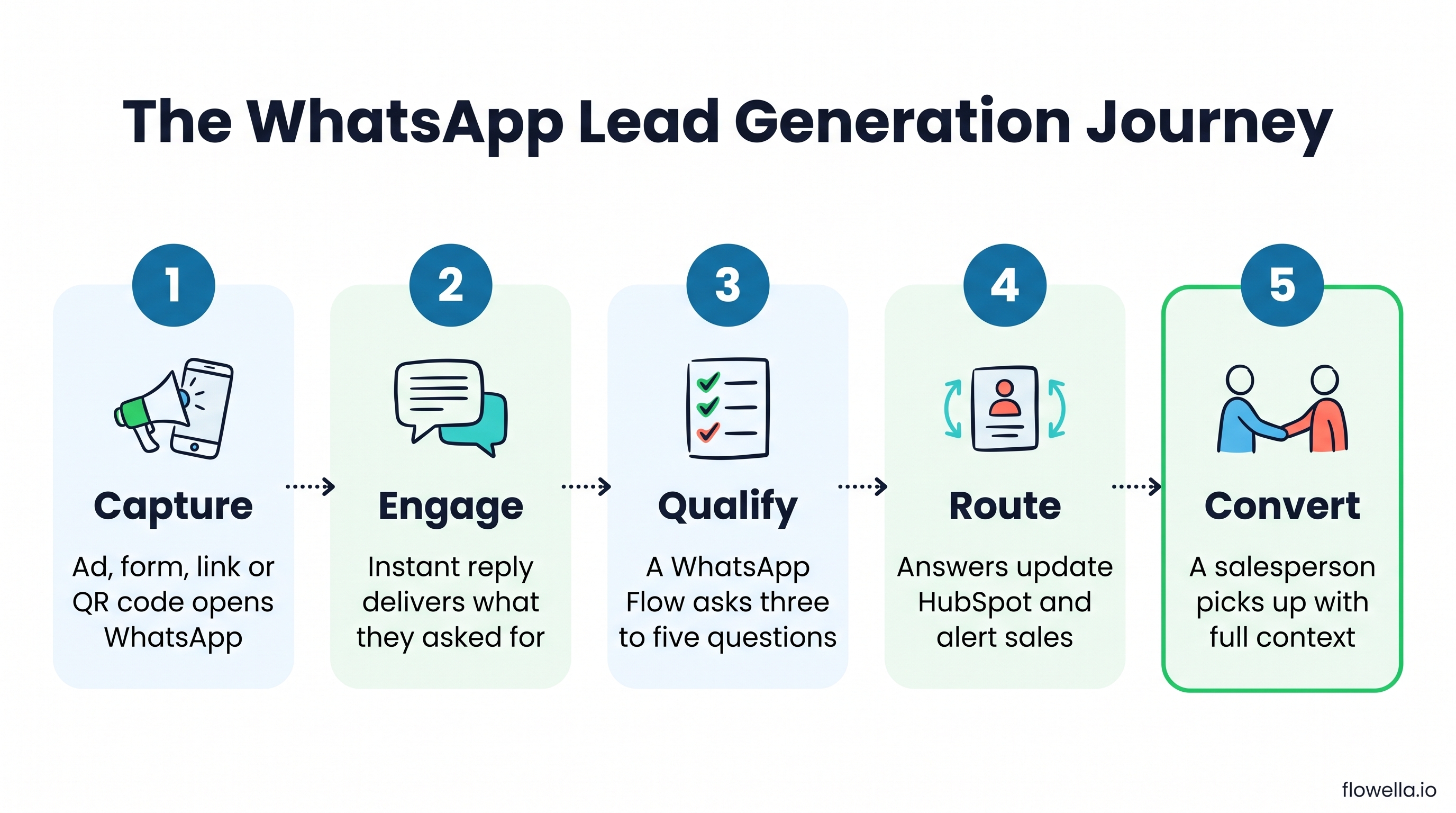
From there, the journey follows five steps:
- Capture - the lead opens WhatsApp from an ad, form, link or QR code.
- Engage - an instant reply delivers what they asked for: the guide, the price list or the brochure.
- Qualify - a short WhatsApp Flow asks the questions sales needs answered.
- Route - the answers update the HubSpot contact and alert the right salesperson.
- Convert - a person picks up the conversation, already knowing what the lead wants.
Qualify leads inside WhatsApp with Flows
Not every lead needs the same follow-up. Someone researching for next year is very different from someone ready to buy this month. WhatsApp Flows let you ask structured questions inside the chat, using dropdowns, date pickers and multi-step screens[4], without sending the lead back to another web form.
Typical qualifying questions include:
- What are you looking to achieve?
- What are you using today?
- What budget have you set aside?
- When are you hoping to get started?
- Would you like to speak to someone?
Because the answers come back as validated fields rather than free text, they map straight to HubSpot properties. Here is the difference it makes to the salesperson picking up the lead:
| What sales sees | Traditional form lead | WhatsApp-qualified lead |
|---|---|---|
| Contact | John Smith, email address | John Smith, email and WhatsApp number |
| Interest | Unknown | Customer service automation |
| Current setup | Unknown | WhatsApp Business app |
| Timescale | Unknown | This quarter |
| Next step | Cold call | Asked to speak to someone |
That is a very different sales conversation. The Flowella lead capture and qualification guide shows how to score these answers and route high-fit leads first. For why structured Flows beat free-text chatbots, read The Real Problem with WhatsApp Chatbots.
Make your CRM part of the conversation
WhatsApp shouldn't become another disconnected inbox full of information the rest of your team can't see. Flowella connects each conversation to HubSpot, so the answers become CRM data you can act on:
- Update contact records - interest, timescale and budget land in properties, not chat transcripts.
- Segment audiences - build lists from WhatsApp answers for targeted follow-up.
- Trigger workflows - notify a salesperson, create a deal or start a nurture sequence.
- Report on source - UTM tracking shows which ads and campaigns produce qualified leads, not just clicks.
Every lead also adds a WhatsApp number to your database and, if you capture opt-in in the Flow, one you can message again. Here is why that matters more than another email address.
Automation for the repetitive steps, people for buying signals
Lead generation shouldn't be fully automated, and it doesn't need to be. Automation is excellent at delivering content, asking the first questions, capturing data and routing enquiries. People are better at the moment someone shows real buying intent.
When a lead asks to talk, a salesperson picks up the conversation in the Flowella Inbox, already knowing what they are interested in and what they have said. That beats "Hi, you filled in a form on our website. How can I help?" every time.
Plan for messages that don't get delivered
A real acquisition journey has to cope with the occasional message that doesn't arrive. Meta limits how many marketing messages each person receives from businesses, based on how likely they are to engage:
"WhatsApp may limit the number of marketing template messages a WhatsApp user receives from any business in a given period of time when they are less likely to be receptive and engage with those messages."
If a message is blocked by this limit, Meta recommends waiting at least 24 hours before trying again. WhatsApp also doesn't currently deliver marketing templates to US phone numbers at all[5]. Two design choices keep the journey moving:
- Let the lead start the conversation - when someone replies to you, a 24-hour customer service window opens, and marketing messages sent inside it don't count towards the limit[5]. Ads, links and QR codes that invite the first message help here.
- Build a fallback - Flowella records in HubSpot when a lead reads or replies to your WhatsApp message, so a workflow can wait a set time and send an email to anyone who hasn't opened it. If the person later messages you on WhatsApp, the journey continues there.
You're not building a WhatsApp campaign. You're building a customer journey in which WhatsApp is the fastest channel.
WhatsApp lead generation examples by industry
| Industry | Qualifying question in the Flow | What happens next |
|---|---|---|
| Insurance | What would you like a quote for, and when does your current policy renew? | Renewal date sets the follow-up |
| Mortgages | Are you buying, remortgaging or moving home? | Routed to the right adviser |
| Education | Which course, campus and start date interest you? | Open day invitation for that course |
| Property | What area, budget and property type are you looking for? | Viewing request and matching listings |
| Professional services | Which service do you need help with? | Routed to the right team |
| Events | Which sessions would you like to attend? | Registration, confirmation and reminders |
For a worked example in one sector, see how estate agents use WhatsApp to manage property enquiries.
Start with one workflow
The most common mistake is trying to automate everything at once. Start small:
- Pick one journey - choose the one where speed, qualification or follow-up matters most.
- Map what happens today - note every step between enquiry and first real conversation.
- Find the drop-off - ask where WhatsApp would make the journey easier for the customer.
- Build and measure - launch one Flow, then compare time to first contact and qualified-lead rate.
Our guide to your first WhatsApp workflow in 30 minutes walks through the setup, and 9 no-code WhatsApp automations for HubSpot teams gives you ideas for what to build next.
One journey, WhatsApp at the centre, HubSpot behind it
WhatsApp lead generation isn't about sending more messages. It is about reaching people while their interest is highest, qualifying them with a few taps, and giving your sales team the context to have a better first conversation. With Flowella, every answer lands in HubSpot, so WhatsApp becomes part of your pipeline rather than another inbox.
Book a Flowella demo and tell us which journey you want to improve, or start a free trial and build your first lead qualification Flow today.
References
- Harvard Business Review: The Short Life of Online Sales Leads (Oldroyd, McElheran and Elkington, 2011)
- Ofcom: From apps to AI search, how the UK goes online in 2025 (Online Nation 2025)
- Meta for Developers: Pricing on the WhatsApp Business Platform (free entry point windows)
- Meta for Developers: WhatsApp Flows components
- Meta for Developers: Per-user marketing template message limits