
Appointment reminders that protect the diary. Confirm or change on WhatsApp.
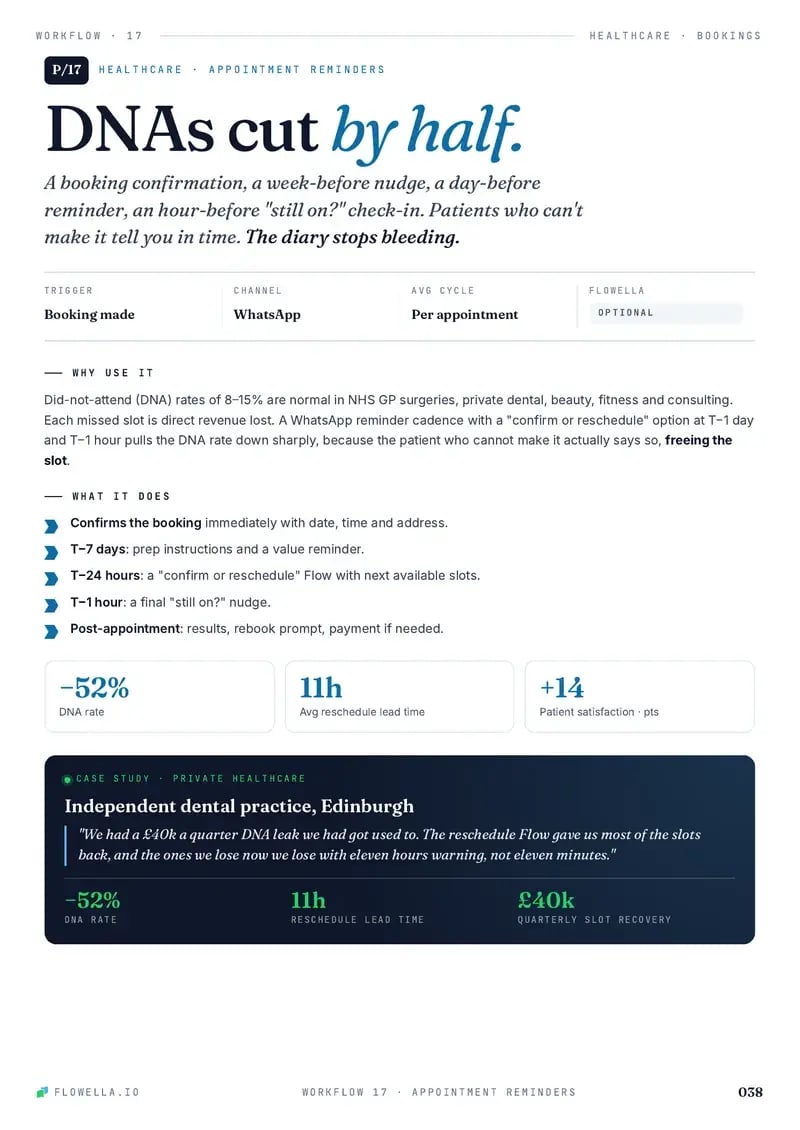
Remind people the day before with the time, the place and a one-tap Flow to confirm or change, so slots are kept or moved in time instead of lost to no-shows.

A day’s notice beats a no-show.
- Trigger
- A booking in HubSpot, a day out
- Channel
- WhatsApp, with the answers in HubSpot
- Workflow
- 4 templates, 1 Flow, 1 branch
- Needs
- HubSpot workflows, on Professional or Enterprise
Step through the play as the patient.
Daniel has a physio appointment tomorrow. Each step shows what he sees on WhatsApp and what lands on his HubSpot record, from the reminder to a kept or moved slot. Your answers in the Flow decide the branch. All four properties are custom ones the play creates.
Bookings reach HubSpot three ways. Pick one.
Bookings reach HubSpot three ways. Pick one. The day before, the reminder lands on WhatsApp. Answer as Daniel. Your taps decide the branch. Two answers, two clean properties. He’s coming, so he gets a confirmation and directions. Not then, so the slot is moved or freed in time. Confirmed a day ahead. Goal met. Moved with a day’s notice, not a no-show. Goal met.
-
Yes, coming: confirm, then remind
No, not then: move it, or free the slot
-
Confirmed:
appointment_confirmedChange:
appointment_changeand a task
A
Acme PhysioBusiness account
Sample dataToday
The opener lands here
DP
Daniel Price
+44 7700 900427
Sample dataProperties
booking_source - hubspot_meetingshubspot_meetingsBooked on a meetings linkBooked on a meetings link
appointment_response - No valueconfirmed
reminder_on_ the_ day - No valueyes_please
appointment_status - bookedchange_requested
Activity
2 of 4 properties written
Step 1 of 5, the trigger: Daniel books Thursday at 10:30 on your HubSpot meetings link, and the workflow waits until the day before.
Workflow triggers and actions need HubSpot Professional or Enterprise. Workflow actions guide
Try a live Flow
Scan the code with your phone to open one in WhatsApp. It’s Flowella’s own Flow, not this playbook.
Open it in WhatsApp (opens in a new tab)Your appointment tomorrowHi Daniel, a reminder that you’re booked in with Hannah tomorrow at 10:30, at our Park Row clinic. Can you still make it?Need anything else? Just reply hereGet directions
Your appointment
Thanks, Daniel. You’re confirmed for tomorrow at 10:30 with Hannah. If you asked for one, a short reminder follows two hours before.Get directions
Thanks for letting us know, Daniel. Pick a new time with the button below, or reply here and the team will help. If you asked us to cancel, there’s nothing more to do.Pick a new time
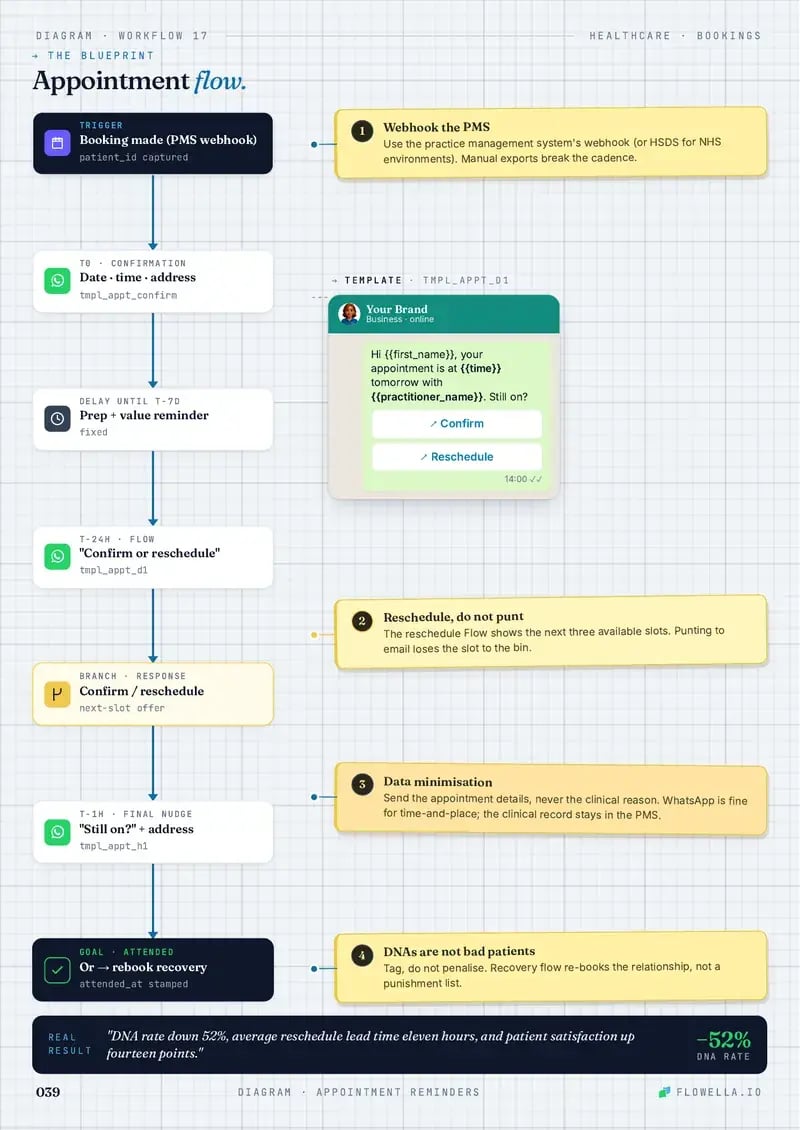
The appointment reminder blueprint.
A booking, a reminder the day before and a one-tap Flow, then one branch: confirmed visits get directions, and changes reach the team in time. You build it in a HubSpot workflow, from Flowella’s WhatsApp triggers and actions.
- Trigger
- Send WhatsApp
- Delay
- Branch
- Goal
- 1Numbered note
-
1Enrolment triggerA booking in HubSpot
From your meetings link, a call your team logs, or your own booking system.
1Any booking, one workflowIf the time is on the HubSpot record, the reminder runs, whatever took the booking.
-
DelayUntil the day before
Timed from the appointment, so the reminder lands a day ahead.
-
2Send WhatsApp TemplateThe reminder
appointment_reminder, with “Confirm or change” and directions.2Time and place onlySend who, when and where. Keep the reason for the visit out of WhatsApp.
-
Delay until event happensForm Completed, up to 18 hours
The answers land as
appointment_responseandreminder_on_the_day.No answer by morning: one short nudge, then as booked.
-
3BranchIs
appointment_responseconfirmed?Yes, I’ll be there goes one way; a new time or a cancellation the other.
3Make moving easyA moved appointment beats a missed one, so the new time is one tap away.
-
YesSend WhatsApp TemplateThe confirmation
appointment_confirmed, with directions4DelayUntil 2 hours beforeOnly for people who asked for a reminder on the day
Send WhatsApp TemplateThe nudgeappointment_nudge, with the addressGoalKeptThe slot is used, with a day’s certainty
NoSend WhatsApp TemplateThe change linkappointment_change, with Pick a new timeEdit recordappointment_status:change_requestedAnd a task for the front desk to move or free the slot
GoalMoved in timeA day’s notice, so someone else can take the slot
4Ask before you nudgeThe on-the-day reminder only goes to people who asked for it in the Flow.
Workflow triggers and actions need HubSpot Professional or Enterprise. The answers land as contact properties on every HubSpot plan, Free included. Workflow actions guide
Copy that saves the slot.
The reminder, the Flow it opens and two replies carry the play, with a short nudge for anyone who asks for one or doesn’t answer. Each is a utility template tied to a booking, and every variable comes from the HubSpot record.
-
appointment_reminderUtilityEnglish (UK)Sample dataSends the day before the appointment
Your appointment tomorrowHi {{first_name}}, a reminder that you’re booked in with {{staff_name}} tomorrow at {{appointment_time}}, at our {{location_name}} clinic. Can you still make it?Need anything else? Just reply hereConfirm or changeGet directionsYour appointment tomorrowHi Daniel, a reminder that you’re booked in with Hannah tomorrow at 10:30, at our Park Row clinic. Can you still make it?Need anything else? Just reply hereConfirm or changeGet directionsWho, when and where, and one tap to confirm or change. Never the reason for the visit.
-
appointment_confirmWhatsApp Flow1 screenSample dataOpens from the opener’s button, synced from your HubSpot form
Your appointment1 of 1Let us know if tomorrow still works. If it doesn’t, we’ll help you move it.
Can you make it?
Yes, I’ll be thereI need a new timePlease cancel itA reminder on the day?
Yes, pleaseNo, thanksSend my answerYour appointment1 of 1Let us know if tomorrow still works. If it doesn’t, we’ll help you move it.
Can you make it?
Yes, I’ll be thereI need a new timePlease cancel itA reminder on the day?
Yes, pleaseNo, thanksSend my answerThe Flow, Your appointment: can you make it (yes, I’ll be there; I need a new time; please cancel it) and a reminder on the day (yes, please; no, thanks).
Daniel’s Flow, with yes, I’ll be there and yes, please chosen.
Coming, a new time or a cancellation, plus whether they want a reminder on the day.
-
appointment_confirmedUtilityEnglish (UK)Sample dataSends when
appointment_responseisconfirmedThanks, {{first_name}}. You’re confirmed for tomorrow at {{appointment_time}} with {{staff_name}}. If you asked for one, a short reminder follows two hours before.Get directionsThanks, Daniel. You’re confirmed for tomorrow at 10:30 with Hannah. If you asked for one, a short reminder follows two hours before.Get directionsLocks in the slot a day ahead, and only promises the nudge people asked for.
-
appointment_changeUtilityEnglish (UK)Sample dataSends when
appointment_responseis a new time or a cancellationThanks for letting us know, {{first_name}}. Pick a new time with the button below, or reply here and the team will help. If you asked us to cancel, there’s nothing more to do.Pick a new timeThanks for letting us know, Daniel. Pick a new time with the button below, or reply here and the team will help. If you asked us to cancel, there’s nothing more to do.Pick a new timeMoving it takes one tap, so the slot comes back a day early, not as a no-show.
-
appointment_nudgeUtilityEnglish (UK)Sample dataSends 2 hours before if they asked, or that morning if they haven’t answered
Your appointment todayHi {{first_name}}, a reminder that you’re booked in with {{staff_name}} today at {{appointment_time}}, at {{location_address}}. If anything has changed, just reply here.Your appointment todayHi Daniel, a reminder that you’re booked in with Hannah today at 10:30, at 2 Park Row. If anything has changed, just reply here.Short, on the day, with the address: only for people who asked for it or haven’t answered.
Sample templates. Meta approves each template before it can send, and the Send WhatsApp Template action maps HubSpot properties to its variables.
Five things that tell you a slot is at risk.
The play captures all five, and each lands in HubSpot as something a workflow can read, not a note someone has to interpret.
| Signal | All good | Needs action | Lands in HubSpot as |
|---|---|---|---|
| Whether they’re comingA yes a day ahead is worth more than a hope on the morning. | Yes, I’ll be there | I need a new time | appointment_response |
| How fast they open itFlowella logs how long the reminder took to read. Still unread by evening is a risk. | Read in minutes | Still unread | timeToReadSecondsOn the Message read event |
| Whether they answerOnly a finished Flow fires Form Completed, so silence is easy to spot and nudge. | Answered | No answer by morning | Form CompletedThe Flowella trigger |
| What they want on the dayRemind the people who asked, and leave the rest in peace. | No, thanks | Yes, please | reminder_on_the_day |
| What they write backA typed reply needs a person, not a template. Route it to your inbox. | No reply | “Running late” | flowella_last_reply_messageUpdated on every Text Reply |
Why appointment reminders on WhatsApp work.
People miss appointments when the reminder is buried or moving it is hard. WhatsApp puts the reminder and the change in one thread, a day ahead.
-
Why no-shows happen
People forget, lose the confirmation email or can’t face a phone queue to move it. A reminder they read, with a one-tap change, turns a no-show into a moved slot.
-
How to enhance it
Add a prep message a week ahead, a forms or deposit link where you need one, a task for the host on every change, and a rebook message after a missed visit.
-
Gotchas
Respect quiet hours, stop reminders once it’s moved and keep changes in the Flow: a lone “Cancel” opts someone out. Map the time as text: a date property arrives in UTC, as 22.10.2026 09:30.
The point: the best reminder gives people a useful action, not just a time.
Every play, in one playbook.
The HubSpot + WhatsApp Playbook, Vol. 01, puts each play on a two-page spread: why and when it works on the left, the blueprint on the right, and the WhatsApp copy ready to paste. Appointment Reminders is one of them.
- Leave your WhatsApp number. Four fields, and no sales call attached.
- A short Flow arrives. It’s a live Flowella Flow, so you see one working.
- The playbook lands in the same chat.
Free. Reply STOP at any time to stop the messages.
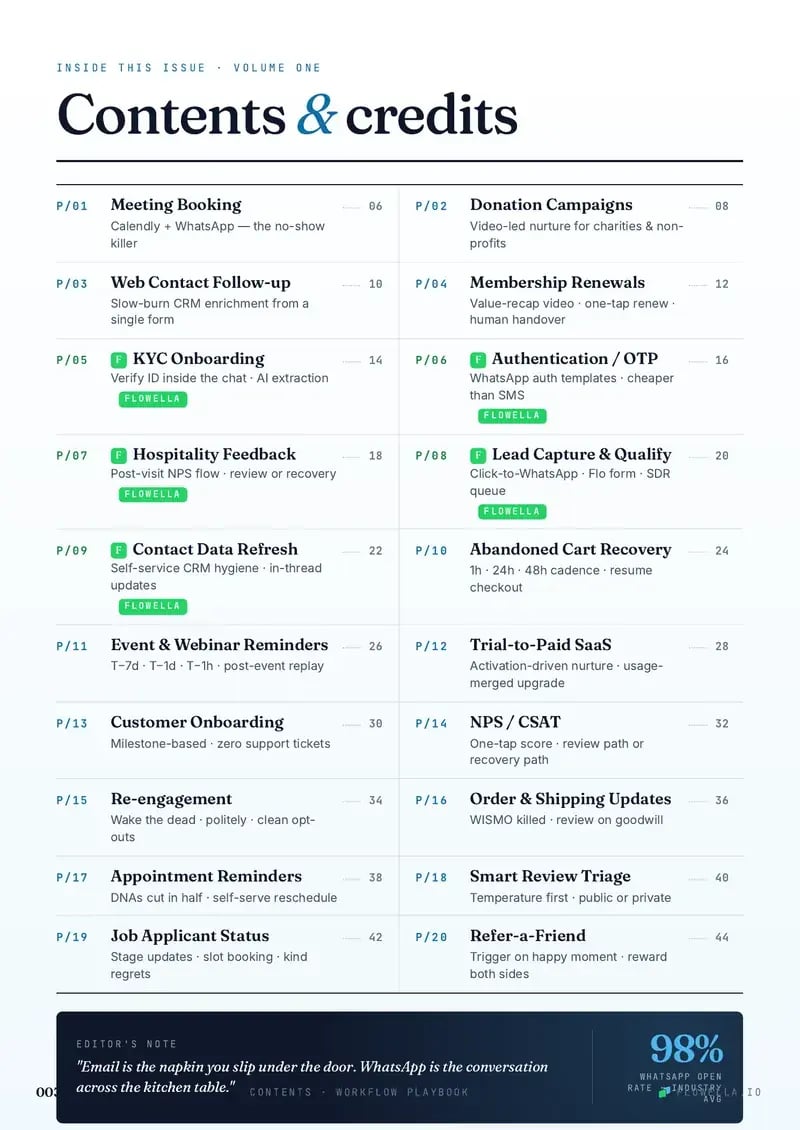
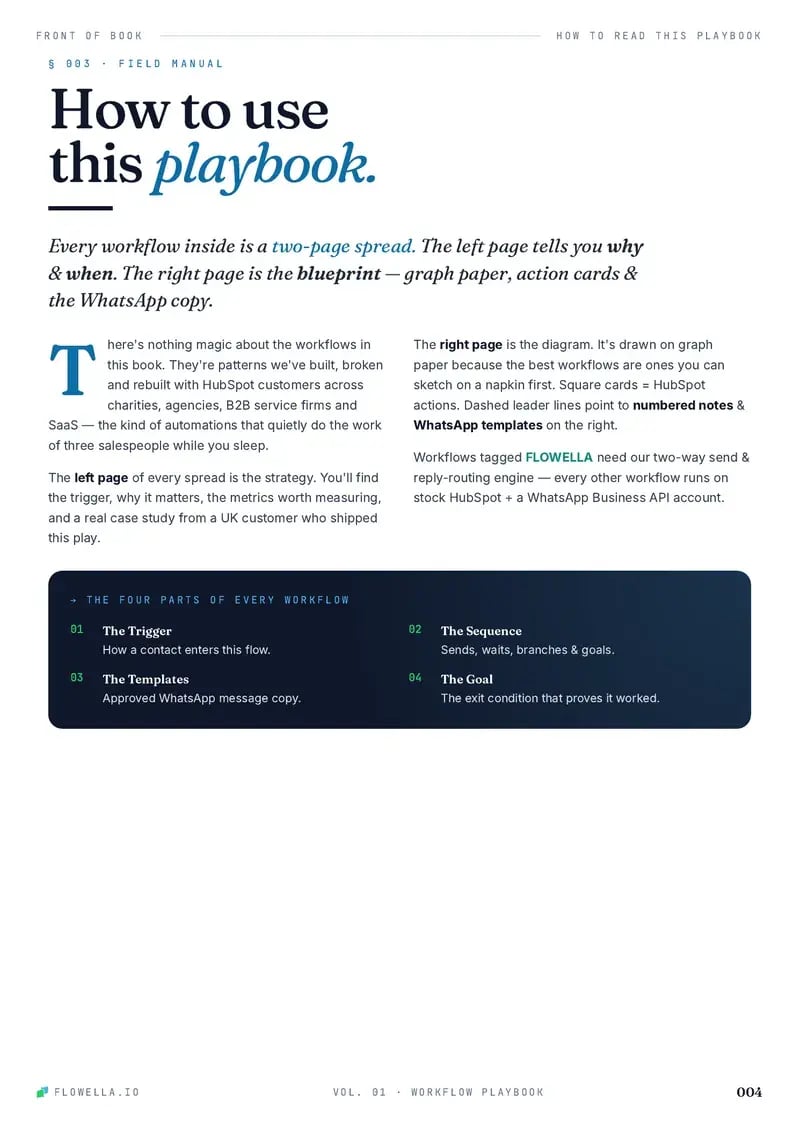

Page 1 of 5The coverPage 1 of 5The coverPage 2 of 5ContentsPage 3 of 5How to read a playPage 4 of 5This play: Appointment RemindersPage 5 of 5The blueprint: Appointment Reminders
Browse playbooks by what you do.
Twenty plays, each a working blueprint. These six sit closest to appointment reminders.
This play is filed under Sales Support Healthcare Professional Services B2B SaaS Education Hospitality
-
Meeting Booking Workflow
Book more meetings: a WhatsApp Flow asks the topic and timing, then sends a HubSpot meetings link that shows the right rep’s times, in the same chat.
- Sales
-
Event & Webinar Reminders
Fill events and webinars with a WhatsApp invite, a three-tap booking Flow, timed reminders, and the recording for anyone who can’t make it.
- Sales
- Marketing
-
Hospitality Feedback
Ask guests two quick questions on WhatsApp after a visit or stay, invite reviews, put the manager on unhappy guests first, and tag every answer in HubSpot.
- Support
- Customer success
-
NPS / CSAT
Collect two-tap CSAT or NPS answers on WhatsApp, thank happy customers, and route every unhappy one to a person and a HubSpot ticket.
- Support
- Customer success
-
Smart Review Triage
Check in privately on WhatsApp first, invite a public review while the goodwill is fresh, and give unhappy customers a manager first, with the review link still open to them.
- Marketing
- Support
-
Contact Data Refresh
Refresh stale CRM records with WhatsApp confirmations, structured corrections, one reminder, and a clear freshness flag.
- Support
- Customer success

Ship the appointment reminder first.
Turn bookings in HubSpot into reminders with a one-tap change. Start free today, or book a 30-minute demo and we’ll map this play to your own diary.
Or book a 30-minute demo