
Order updates that answer “where is my order?” first, on WhatsApp.
Send the out-for-delivery update from HubSpot with tracking and a one-tap Flow for when they won’t be in, so the parcel goes today or is rebooked before anyone calls support.
Tell them before they have to ask.
- Trigger
- An order goes out for delivery
- Channel
- WhatsApp, with the answers in HubSpot
- Workflow
- 4 templates, 1 Flow, 1 branch
- Needs
- HubSpot workflows, on Professional or Enterprise
Step through the play as the customer.
Amira is waiting for a parcel. Each step shows what she sees on WhatsApp and what lands on her HubSpot record, from the out-for-delivery update to a plan that works. Your answer in the Flow decides the branch. All four properties are custom ones the play creates.
The status lands in HubSpot, and Amira is enrolled.
The status lands in HubSpot, and Amira is enrolled. The update lands on WhatsApp straight away. Answer as Amira. Your tap decides the branch. Two answers, two clean properties. It can still go today, so the delivery goes ahead. Not today, so it’s rebooked before anyone calls. Delivered first time, no call to support. Goal met. Rebooked in the chat, not on the phone. Goal met.
-
Yes, today: save the note and deliver
No, another day: rebook, no ticket
-
Today:
order_note_saved, team toldRebook:
order_rebookand a new day
A
Acme HomeBusiness account
Sample dataToday
The opener lands here
AH
Amira Hassan
+44 7700 900318
Sample dataProperties
order_status - out_for_deliveryout_for_deliverySet by your order systemSet by your order system
delivery_choice - No valueanother_day
delivery_note - No valueTwo lines of text, the most this row shows of a longer answer
delivery_plan - No valuedeliver_today
Activity
1 of 4 properties written
Step 1 of 5, the trigger: your order system sets Amira’s order to out for delivery in HubSpot, and the workflow enrols her.
Workflow triggers and actions need HubSpot Professional or Enterprise. Workflow actions guide
Try a live Flow
Scan the code with your phone to open one in WhatsApp. It’s Flowella’s own Flow, not this playbook.
Open it in WhatsApp (opens in a new tab)Out for delivery todayHi Amira, your order AH-10482 is out for delivery today, between 15:00 and 17:00. Track it at acmehome.example/track/AH-10482, or tell us below if you won’t be in.Questions? Just reply to this message
If you’re not in
Thanks, Amira. We’ve added your delivery instructions to order AH-10482 and passed them to our delivery team. You can follow the parcel at acmehome.example/track/AH-10482 until it arrives.
No problem, Amira. We’ll hold order AH-10482 and rebook it. Pick the day that suits you at acmehome.example/rebook/AH-10482, or reply here and we’ll sort it.
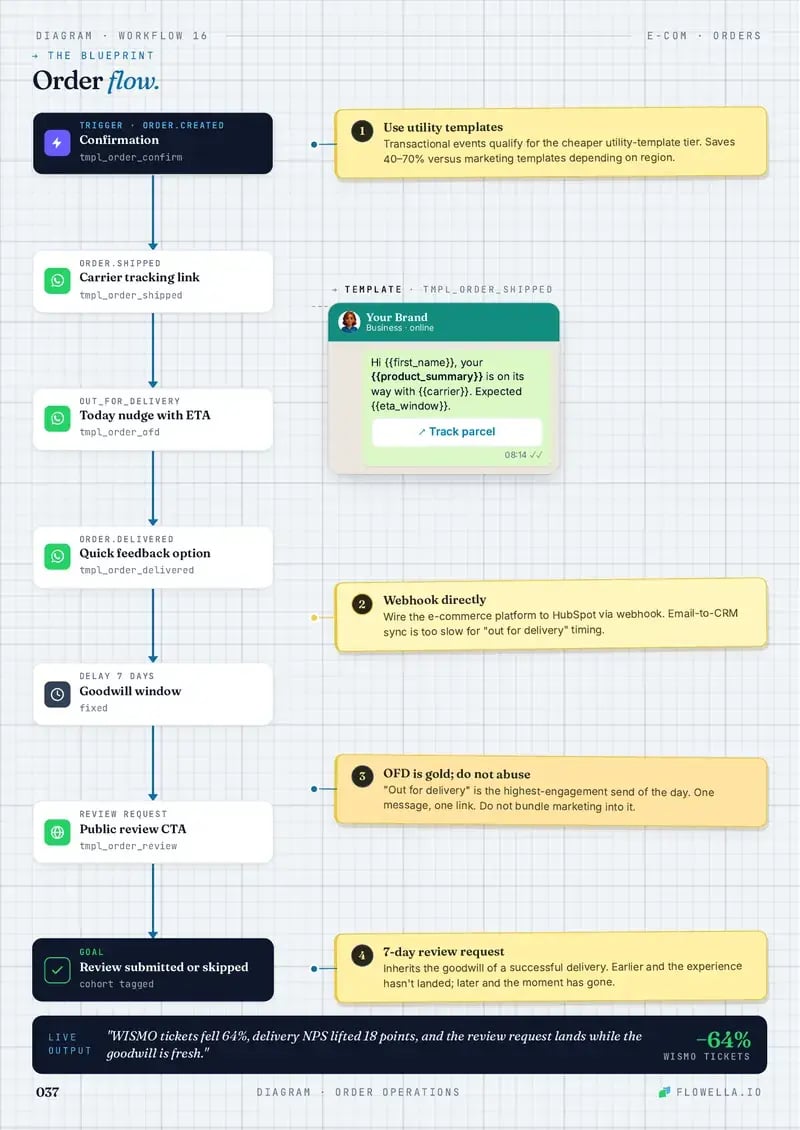
The order and shipping blueprint.
Out for delivery, a tracking link and a one-tap Flow for when they won’t be in, then one branch: the parcel goes today or is rebooked. You build it in a HubSpot workflow, from Flowella’s WhatsApp triggers and actions.
- Trigger
- Send WhatsApp
- Delay
- Branch
- Goal
- 1Numbered note
-
1Enrolment trigger
order_status:out_for_deliverySet by your shop or courier system. Confirmation, dispatch and delays each get their own send.
1Send on real eventsWrite each status to HubSpot as it happens. A nightly sync is too slow for same-day news.
-
2Send WhatsApp TemplateOut for delivery
order_out_for_delivery, with the window, the tracking link and “Won’t be in?”2One message, one linkIt’s the update people wait for. Keep it to the window and one link, with no marketing.
-
Delay until event happensForm Completed, up to 2 hours
The choice lands as
delivery_choice, with an optionaldelivery_note.No answer: they’ll be in, and the parcel goes as planned.
-
BranchIs
delivery_choicea way to deliver today?A safe place or a neighbour goes today; another day waits for a rebook.
-
YesSend WhatsApp TemplateThe note, saved
order_note_saved, with the tracking link3Delay until event happensDelivered, then 7 daysThe delivered status starts the clock for the review prompt
4Send WhatsApp TemplateThe review promptorder_review_request, while the goodwill is freshGoalDelivered first timeNo “where is my order?” call, and a review asked for
No5Send WhatsApp TemplateThe rebookorder_rebook, with a link to pick a new dayEdit recorddelivery_plan:rebookAnd a task for the delivery team, so nobody waits on a call
GoalRebooked, no ticketThe new day is set in the chat, not in a phone queue
3Say sorry firstIf the status turns delayed instead, its own send gives the new window before anyone asks.
4Ask after it landsA week on, the review prompt inherits the goodwill. Earlier, the parcel may still be in its box.
5Keep it utilityOrder updates with no promotion are utility templates, which Meta prices below marketing.
Workflow triggers and actions need HubSpot Professional or Enterprise. The answers land as contact properties on every HubSpot plan, Free included. Workflow actions guide
Copy that keeps the parcel moving.
The out-for-delivery update, the Flow it opens and two replies carry the delivery day. All three are utility templates tied to the order, with no promotion, and a review prompt follows a week after delivery.
-
order_out_for_deliveryUtilityEnglish (UK)Sample dataSends when
order_statusturnsout_for_deliveryOut for delivery todayHi {{first_name}}, your order {{order_number}} is out for delivery today, between {{delivery_window}}. Track it at {{tracking_link}}, or tell us below if you won’t be in.Questions? Just reply to this messageWon’t be in?Out for delivery todayHi Amira, your order AH-10482 is out for delivery today, between 15:00 and 17:00. Track it at acmehome.example/track/AH-10482, or tell us below if you won’t be in.Questions? Just reply to this messageWon’t be in?One message, one link, one way to change the plan. No marketing in the update people wait for.
-
order_delivery_optionsWhatsApp Flow1 screenSample dataOpens from the opener’s button, synced from your HubSpot form
If you’re not in1 of 1No problem. Tell us what to do with today’s parcel, and we’ll add it to your order.
What should we do if you’re out?
Leave it in a safe placeLeave it with a neighbourDeliver another dayWhere, or which neighbour? (optional)Save my choiceIf you’re not in1 of 1No problem. Tell us what to do with today’s parcel, and we’ll add it to your order.
What should we do if you’re out?
Leave it in a safe placeLeave it with a neighbourDeliver another dayWhere, or which neighbour? (optional)Save my choiceThe Flow, If you’re not in: what should we do if you’re out (leave it in a safe place, leave it with a neighbour, deliver another day) and an optional question, where, or which neighbour.
Amira’s Flow, with leave it in a safe place chosen and the optional question left blank.
A safe place, a neighbour or another day, plus a note for the driver. The choice lands on the record.
-
order_note_savedUtilityEnglish (UK)Sample dataSends when
delivery_choicemeans it can still go todayThanks, {{first_name}}. We’ve added your delivery instructions to order {{order_number}} and passed them to our delivery team. You can follow the parcel at {{tracking_link}} until it arrives.Thanks, Amira. We’ve added your delivery instructions to order AH-10482 and passed them to our delivery team. You can follow the parcel at acmehome.example/track/AH-10482 until it arrives.Confirms the change in seconds, so nobody rings support to check it landed.
-
order_rebookUtilityEnglish (UK)Sample dataSends when
delivery_choiceis another dayNo problem, {{first_name}}. We’ll hold order {{order_number}} and rebook it. Pick the day that suits you at {{rebook_link}}, or reply here and we’ll sort it.No problem, Amira. We’ll hold order AH-10482 and rebook it. Pick the day that suits you at acmehome.example/rebook/AH-10482, or reply here and we’ll sort it.A new day in the chat, instead of a failed drop, a card through the door and a phone queue.
-
order_review_requestMarketingEnglish (UK)Sample dataSends 7 days after
order_statusturnsdeliveredHow was your order?Hi {{first_name}}, it’s been a week since order {{order_number}} arrived. How did it go? A quick review helps other shoppers, and we read every one.Reply STOP to opt outLeave a reviewHow was your order?Hi Amira, it’s been a week since order AH-10482 arrived. How did it go? A quick review helps other shoppers, and we read every one.Reply STOP to opt outLeave a reviewAsks a week on, once the order is in use, with one tap to the same review page for everyone.
Sample templates. Meta approves each template before it can send, and the Send WhatsApp Template action maps HubSpot properties to its variables.
Five things that tell you a delivery needs a hand.
The play captures all five, and each lands in HubSpot as something a workflow can read, not a note someone has to interpret.
| Signal | Weak signal | Strong signal | Lands in HubSpot as |
|---|---|---|---|
| Whether they’ll be inA choice before the van arrives saves a failed drop and a card through the door. | No answer | Deliver another day | delivery_choice |
| Where it can goA safe place or a neighbour, in their words, ready for the driver. | Left blank | Behind the side gate | delivery_note |
| How fast they open itFlowella logs how long the update took to read. A quick read means they’re watching for it. | Read hours later | Read in minutes | timeToReadSecondsOn the Message read event |
| Whether they replyA typed question needs a person. Route it to your inbox, not another template. | No reply | “Can you come at 2?” | flowella_last_reply_messageUpdated on every Text Reply |
| Whether it landsDelivered starts the review clock; a delay gets its own apology first. | Delivered on time | Delayed by a day | order_statusWritten by your order system |
Why shipping updates on WhatsApp work.
Customers chase an order when its status feels invisible. WhatsApp puts the status where they already look, before support gets involved.
-
Why customers chase orders
Tracking emails get missed, courier pages confuse and a delay feels personal when nobody explains it. An update with the window and one link answers the question first.
-
How to enhance it
Send the confirmation and dispatch updates in the same style, add a location header for the delivery area, and route replies that mention damage straight to support.
-
Gotchas
Keep every update utility: put an offer in an order message and Meta treats it as marketing. Don’t promise a time your courier can’t keep, and stop once it’s delivered.
The point: every clear update is one less support ticket.
Every play, in one playbook.
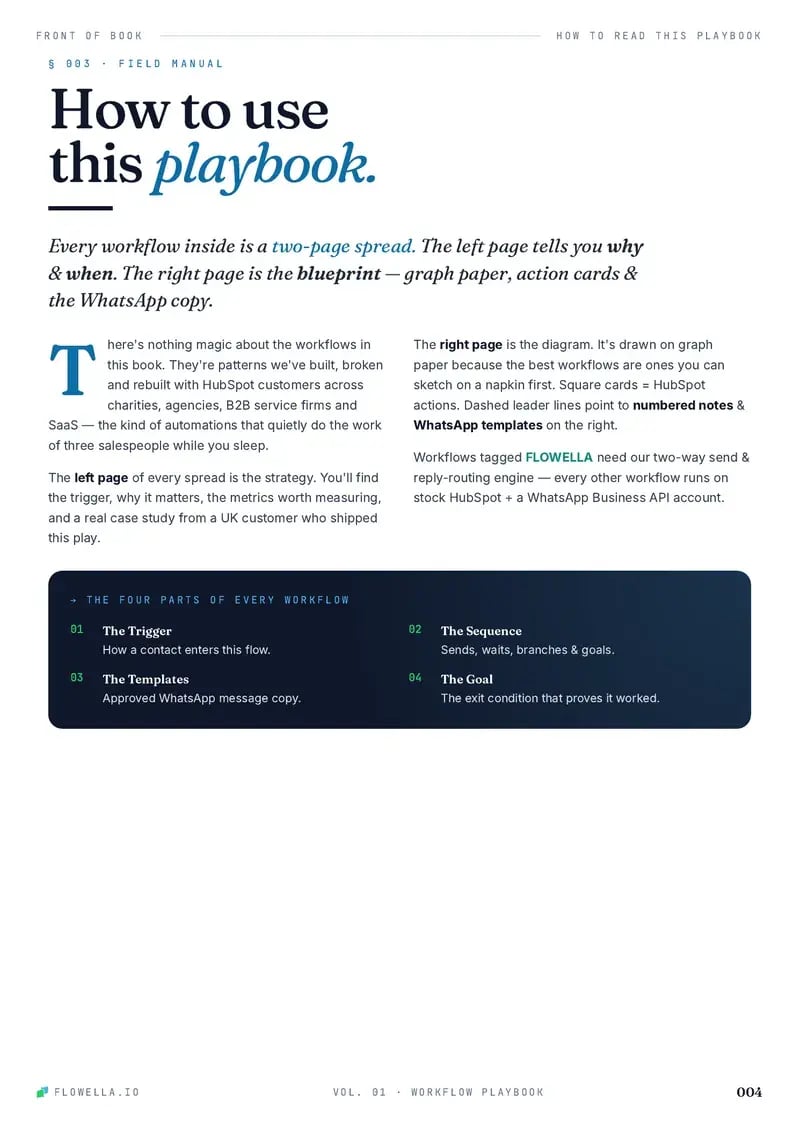
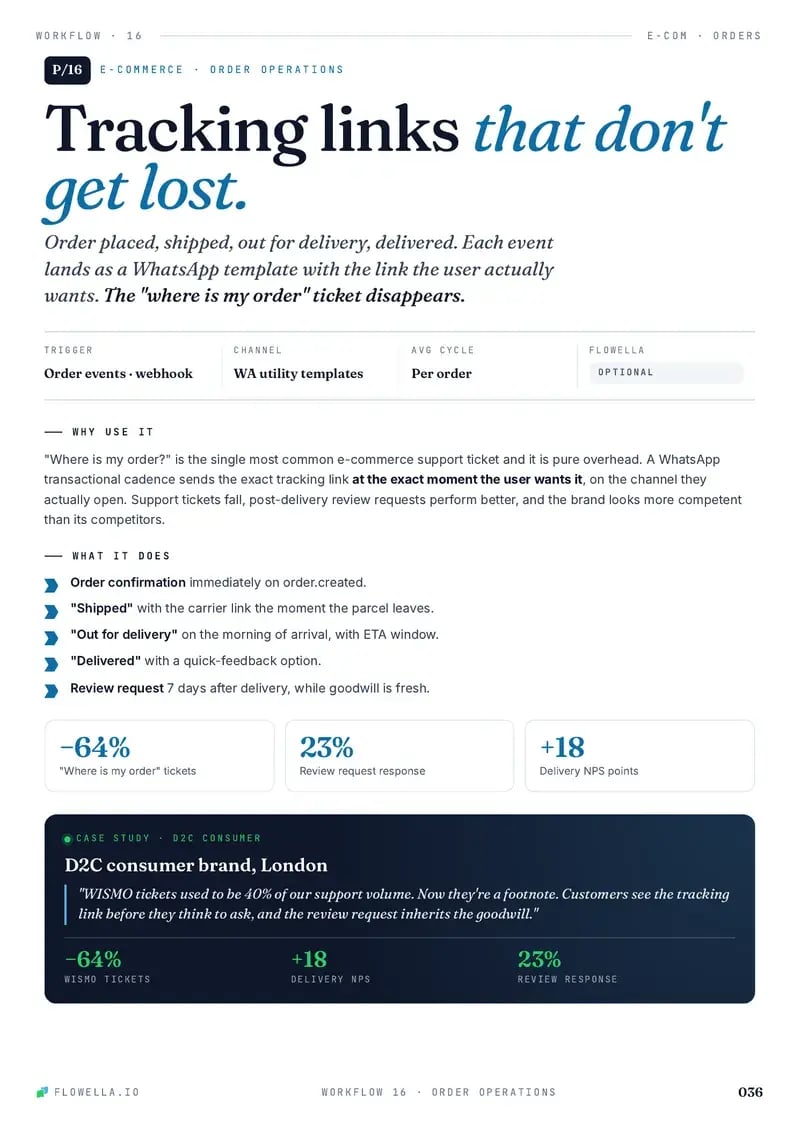
The HubSpot + WhatsApp Playbook, Vol. 01, puts each play on a two-page spread: why and when it works on the left, the blueprint on the right, and the WhatsApp copy ready to paste. Order & Shipping Updates is one of them.
- Leave your WhatsApp number. Four fields, and no sales call attached.
- A short Flow arrives. It’s a live Flowella Flow, so you see one working.
- The playbook lands in the same chat.
Free. Reply STOP at any time to stop the messages.
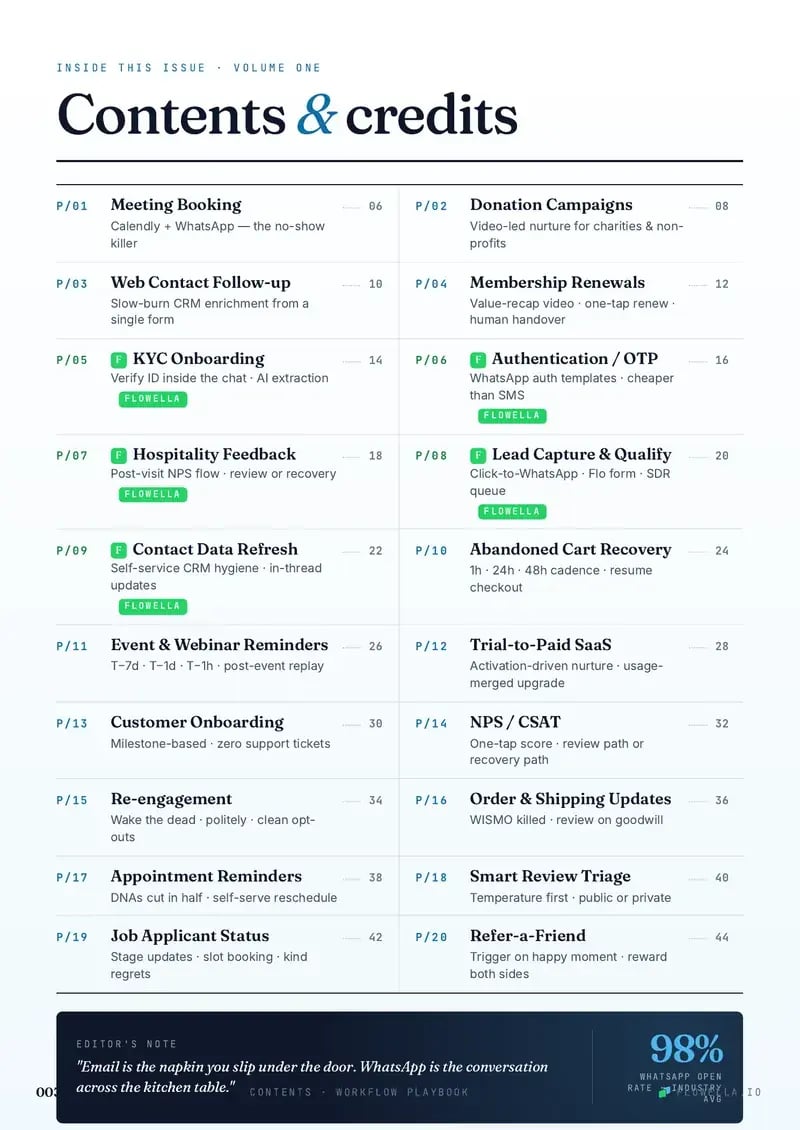

Page 1 of 5The coverPage 1 of 5The coverPage 2 of 5ContentsPage 3 of 5How to read a playPage 4 of 5This play: Order & Shipping UpdatesPage 5 of 5The blueprint: Order & Shipping Updates
Browse playbooks by what you do.
Twenty plays, each a working blueprint. These six sit closest to order updates.
This play is filed under Support Customer success Agencies
-

Abandoned Cart Recovery
Recover abandoned carts with WhatsApp reminders, purchase-status exits, support-first rescue, and controlled incentives.
- Marketing
- Customer success
-
Smart Review Triage
Check in privately on WhatsApp first, invite a public review while the goodwill is fresh, and give unhappy customers a manager first, with the review link still open to them.
- Marketing
- Support
-
NPS / CSAT
Collect two-tap CSAT or NPS answers on WhatsApp, thank happy customers, and route every unhappy one to a person and a HubSpot ticket.
- Support
- Customer success
-

Appointment Reminders
Cut no-shows with WhatsApp appointment confirmations, timed reminders, prep requests, self-serve reschedule, and attendance follow-up.
- Sales
- Support
-
Contact Data Refresh
Refresh stale CRM records with WhatsApp confirmations, structured corrections, one reminder, and a clear freshness flag.
- Support
- Customer success
-
Customer Onboarding
Guide new customers to first value with milestone WhatsApp prompts, setup nudges, support rescue, and HubSpot onboarding status updates.
- Support
- Customer success

Start with the out-for-delivery update.
Turn HubSpot order statuses into WhatsApp updates that answer the question first. Start free today, or book a 30-minute demo and we’ll map this play to your own orders.
Or book a 30-minute demo