CONSENT & OPT-OUTS

Compliant by default, every single send.

Flowella tracks who has agreed to hear from you on WhatsApp and who has asked you to stop. Opt-out keywords like STOP are honoured automatically, every change is logged as a consent event, and Flowella checks status before any automated message goes out, so an opted-out contact is never messaged by a flow, workflow or campaign.

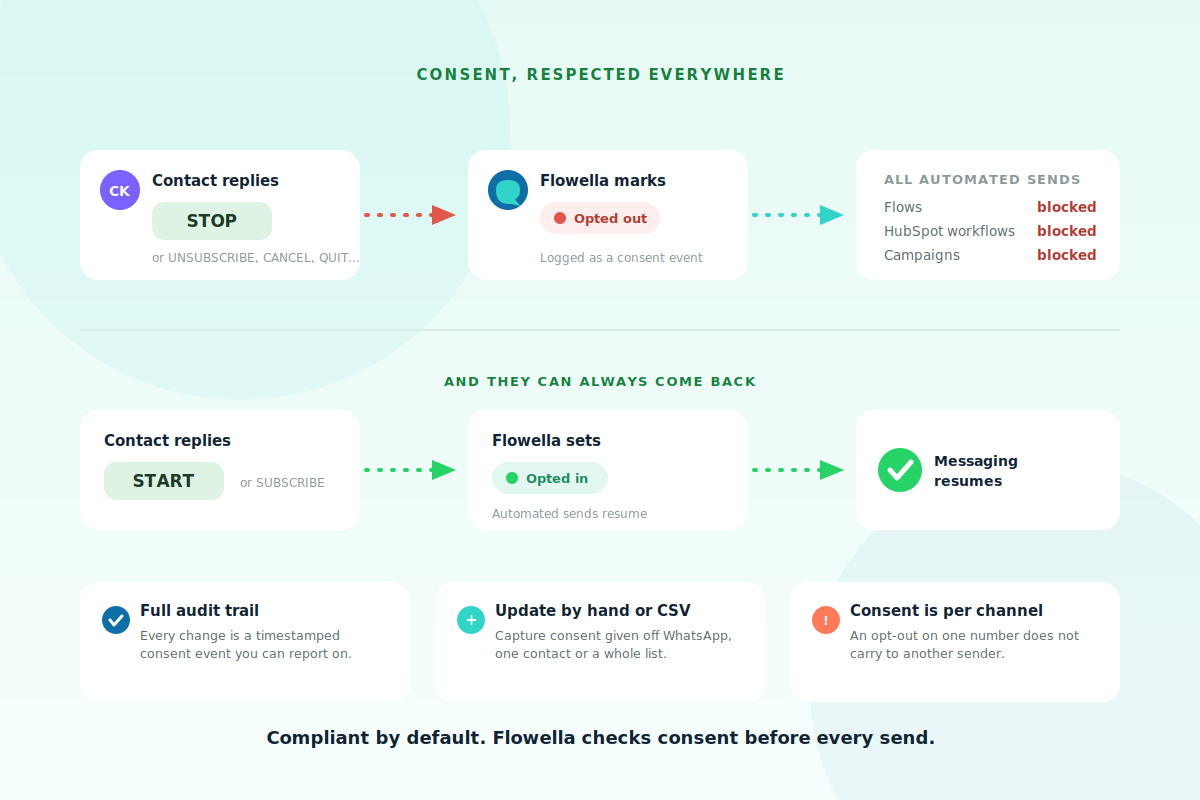
A diagram showing a contact sending STOP, Flowella marking them opted out and blocking flows, workflows and campaigns, with START reversing it, plus notes on the audit trail, manual updates and per-channel consent
How it works

STOP means stop, automatically.

When a contact sends STOP, or one of the other keywords in English, Spanish, French, Portuguese, German or Japanese, Flowella marks them opted out, logs a consent event, and blocks every automated send to that number. If they later send START or SUBSCRIBE, Flowella flips them back to opted in and messaging resumes on the next trigger. No agent action required either way.
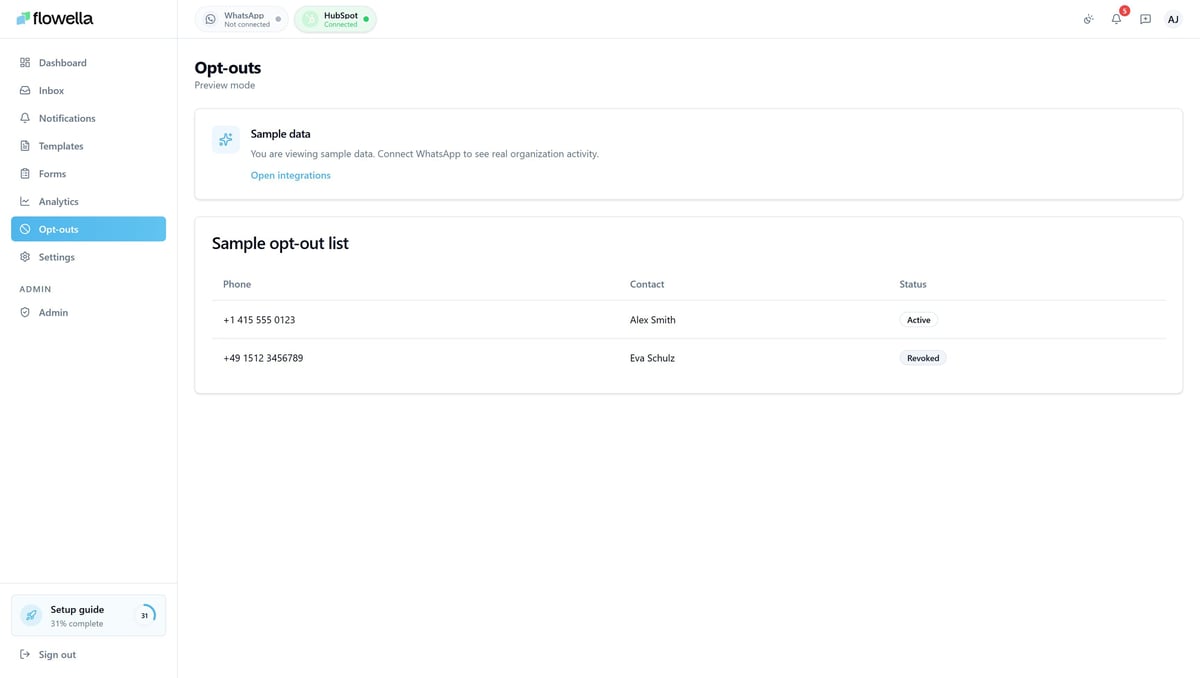
The Flowella Opt-Outs page listing contacts by phone number and name with an Active or Revoked status badge for each
The Opt-Outs page

One place for consent.

The Opt-Outs page shows every number Flowella knows about for the active channel, with three totals at the top, contacts, opted out and opted in, and a clear status badge on each row. Search by name or number, open a contact to see their full consent history, and add people manually or import a suppression list by CSV when consent was captured off WhatsApp. Agents can also flip status straight from the inbox header during a conversation.

— KNOWLEDGE BASE

Manage consent at scale.

The Opt-Outs guide lists every opt-out and opt-in keyword by language, walks through manual and CSV updates, the consent history view, and how the opt-out check runs before every send.

Read the opt-outs guide →

The safeguard

Checked before every send

The opt-out check is not optional, it runs wherever a message could go out.

Where the check appliesBehaviour for an opted-out contact
HubSpot workflows (Flowella action)Send is blocked
Automated flows and campaignsSend is blocked
Inbox template sendsSend is blocked
Agent viewing a conversationAllowed, with the opted-out status shown in the header

Consent is recorded per channel, because it is given to a specific business sender. If you run more than one number, an opt-out on one does not carry to another, which is the most common multi-channel pitfall to watch for.

FAQ

Straight answers.

The questions people ask about consent.

What happens when someone sends STOP?

Flowella marks them opted out automatically, logs a consent event, and blocks all automated sends to that number. STOP, STOPALL, UNSUBSCRIBE, CANCEL, END and QUIT all work, with localised equivalents in several languages.

Can a contact opt back in?

Yes. If they send START, SUBSCRIBE or UNSTOP, Flowella sets them back to opted in and automated sends resume on the next trigger. Make it clear in your copy that they can reply with these words.

Can I import an existing opt-out list?

Add them manually with their number and status, or import a suppression list by CSV. The CSV import is idempotent, so re-importing the same file never creates duplicate events.

Is consent shared across my numbers?

Per channel. Consent is given to a specific sender, so an opt-out on one number does not automatically apply to another in the same org.

Is there an audit trail?

Yes. Every contact has a full event history showing each change, what triggered it, for example an automatic STOP keyword, and any manual updates by your team. It is your audit trail for compliance.

Next step

Keep WhatsApp compliant as you scale.

Flo, the Flowella mascot, celebrating