BEYOND THE INBOX

Co-existence is the easy part. The Flows are the difference.

Keeping your WhatsApp Business App number alongside an inbox is becoming standard, and that is a good thing. The real question is what runs on that number next. Flowella turns it into native WhatsApp Flows: guided, interactive forms your customers complete inside the chat, with every answer written back to HubSpot as structured data that triggers workflows.

The real difference

What you can do once the number is connected.

Co-existence connects the number. What runs on it next is what matters.

Co-existence on its own

A connected number, and free text to sort.

You can chat 1:1 and send templates from your inbox. Replies still arrive as unstructured messages that a human reads, interprets, and copies into the CRM.

  • 1:1 chats and templates from your inbox
  • Replies stay unstructured
  • Manual CRM sorting
Acme Insurance Business · online
Hi Anna 👋 just checking — are you still keen to renew your policy this year? 09:14
ohh hi yeah maybe? remind me what plan I'm on? 11:42
You're on the Standard plan. Happy to send the renewal link? 11:43
actually can we chat tomorrow? today is mad 11:46
Of course — what time works? 11:47
idk friday maybe? 😅 14:08
1:1 CHATS TEMPLATES MANUAL SORTING
Co-existence with Flowella

A connected number that captures clean data.

The same number sends interactive WhatsApp Flows. Customers tap through a guided form, and answers land in HubSpot as structured fields that trigger workflows automatically.

  • Interactive WhatsApp Flows on the same number
  • Structured fields in HubSpot
  • Workflows trigger automatically
Cancel Renew with Acme
Hi Anna — pick the plan that suits you. We'll auto-renew and send your receipt here in WhatsApp.
  • 30 seconds · Card on file
  • With · Membership team
  • Receipt sent here after renewal

Choose your plan

  • Quarterly · £15
  • Monthly · £6
Confirm renewal

Powered by Flowella · Secure renewal

INTERACTIVE FLOWS STRUCTURED FIELDS AUTOMATED
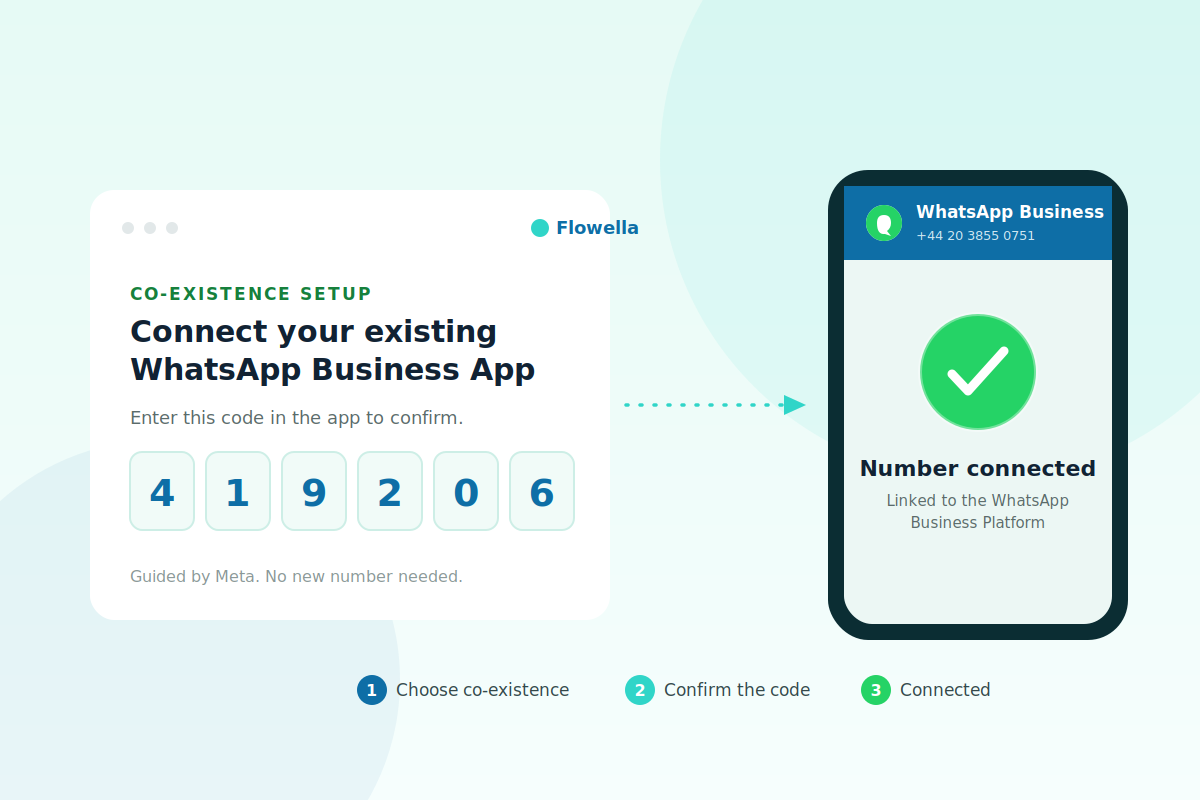
Connecting an existing WhatsApp Business App number in Flowella by confirming a verification code
Setup

Connect in minutes.

Start in Flowella, choose "Connect your existing WhatsApp Business App", and follow Meta's guided steps. Flowella shows a verification code, you confirm in the app, and the number is connected to the WhatsApp Business Platform.
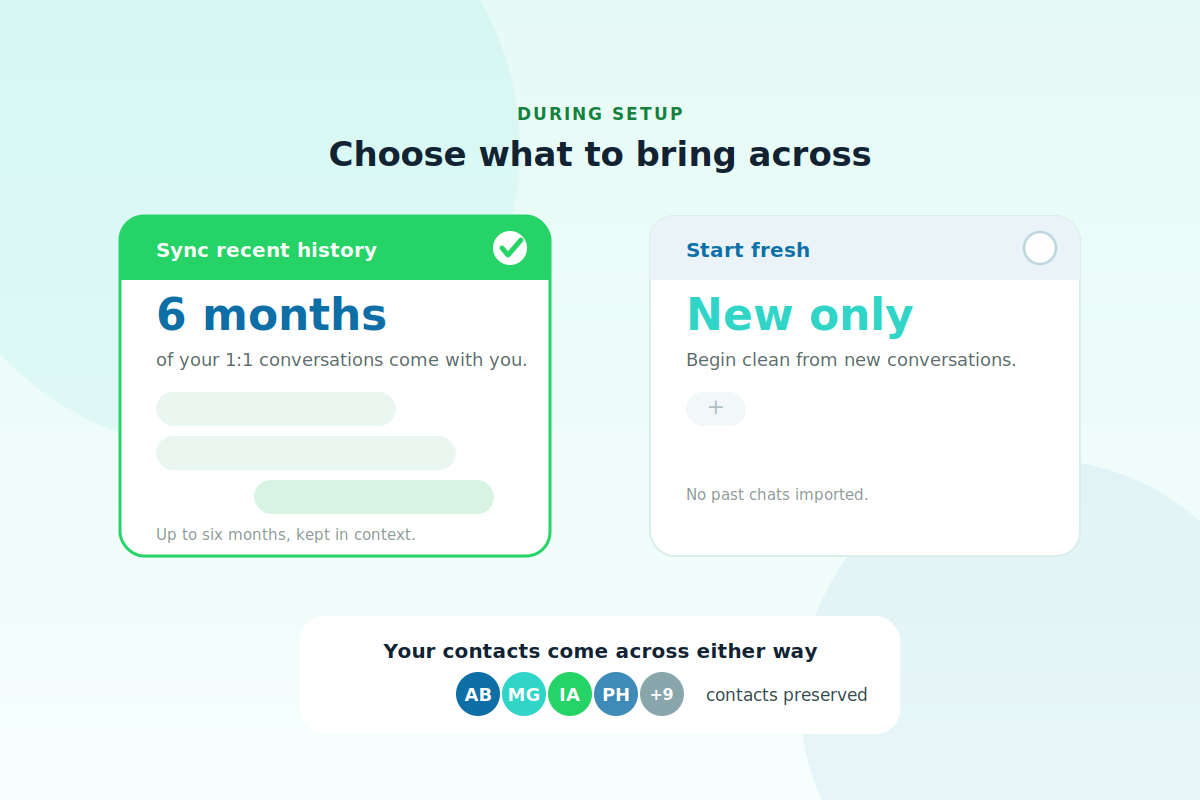
Choosing whether to sync up to six months of WhatsApp history or start fresh, with contacts kept either way
Setup

Decide what to bring across.

During setup you choose whether to sync up to six months of 1:1 history, or start fresh from new conversations only. Contacts come across either way.

Honest comparison

Flowella vs HubSpot native WhatsApp

Co-existence is now a shared capability. The gaps are the Flows engine, structured data, and tier access.

CapabilityHubSpot native WhatsAppFlowella
Keep your existing Business App number (co-existence)Yes (Marketing/Service Hub Pro+)Yes
Log conversations and send templates from HubSpotYesYes
Convert HubSpot forms into native, interactive WhatsApp FlowsNoYes
Send multi-screen forms with branching inside the chatNoYes
Return answers as a structured HubSpot form submissionNoYes
Available below the Professional tierNoYes
FAQ

Straight answers.

Including the obvious one.

Doesn't HubSpot do co-existence now?

Yes, on Marketing Hub Professional and Enterprise. Co-existence connects the number; it does not, on its own, send interactive WhatsApp Flows or return structured form data to your CRM. That is what Flowella adds on top, and it works whatever HubSpot tier you are on.

Can I keep using the WhatsApp Business App after connecting?

Yes, that is the point of co-existence.

Do I have to share my chat history?

No, you can start fresh from new conversations.

Will group chats appear in Flowella?

No, they stay in the app.

Can I co-exist if my number is already on another WhatsApp API tool?

Not on the same number at once. You would use a new number, or move the existing one across first.

Anything I should know before I start?

Co-existence needs WhatsApp Business App version 2.24.17 or higher, and a few country codes are not yet supported. The setup guide has the current list.

Next step

Turn your connected number into structured data.

Flo, the Flowella mascot, celebrating