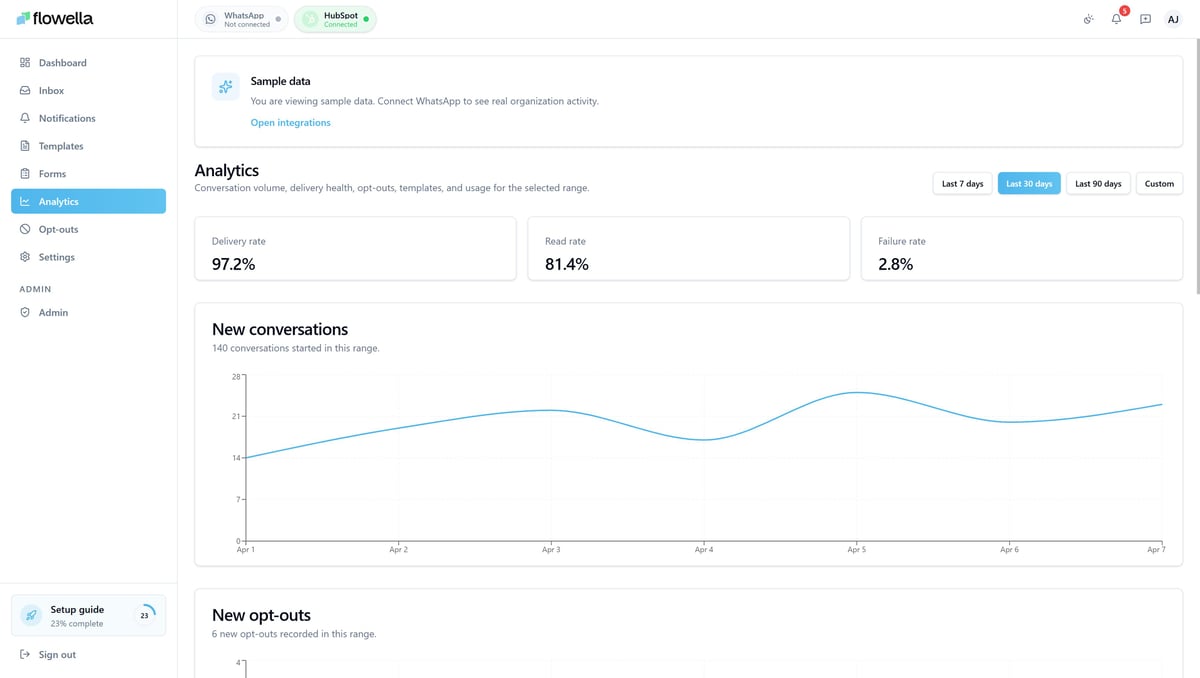
See what your WhatsApp is actually doing.
Analytics gives you per-channel reporting on conversations, delivery and read rates, opt-outs, template performance and usage. Track quality over time, spot a problem template, and export the numbers to a spreadsheet or PDF whenever you need to share them.
Delivery, reads and trends, per channel.
Three headline numbers sit at the top for the channel and date range you pick: delivery rate, read rate and failure rate. Failure rate only turns red when it climbs above five percent with real activity, so a quiet period never looks like a problem. Below them, charts track conversations, opt-outs and usage over time, with the granularity, day, week or month, chosen automatically to match the range.

What Analytics measures
Date-range presets of 7, 30 or 90 days, or a custom range, drive every chart and table.
| What you can track | Why it matters |
|---|---|
| Delivery rate | The share of outbound messages Meta confirmed delivered |
| Read rate | How many delivered messages were actually opened |
| Failure rate | Flagged in red only above five percent, so quiet periods stay neutral |
| Conversations over time | Distinct threads per day, week or month |
| Opt-outs over time | Spot a spike that lines up with a campaign or template |
| Usage over time | Outbound volume for capacity planning against your plan |
| Templates table | Send count, delivery and read rate per template, sortable |
— KNOWLEDGE BASE
Every metric, defined.
The Analytics guide explains each rate and chart, how granularity is chosen, how exports work, and how delivery and read rates feed into Meta quality scores.
Straight answers.
The questions people ask about reporting.
Is Analytics per number or org-wide?
Per channel. Pick the WhatsApp number you want and the page scopes to it, so a multi-number org never mixes reporting across senders.
What date ranges can I use?
Presets of 7, 30 or 90 days, or a custom range. Granularity switches automatically: day up to 45 days, week up to 120, month beyond that.
How do I find a weak template?
Sort the templates table by read rate. A low score, especially alongside a rise in opt-outs, points to copy or a category that needs changing.
Can I export the data?
CSV for the data behind all five metrics, or a PDF snapshot of the charts. Exports run in the background and the download link arrives in the page and as a notification.
Can I see it before connecting?
Yes. Even before you connect a WhatsApp channel, Analytics renders with illustrative numbers behind a sample-data note, so you can preview it.