
Customer onboarding that doesn’t stall. Milestones on WhatsApp.
Welcome every new customer on WhatsApp, ask how they want to set up, then send one milestone at a time or hand them to a named person, with the onboarding status in HubSpot at every step.

A guide or a call. They choose, the workflow follows.
- Trigger
- A closed deal or a paid sign-up
- Channel
- WhatsApp, with the answers in HubSpot
- Workflow
- 3 templates, 1 Flow, 1 branch
- Needs
- HubSpot workflows, on Professional or Enterprise
Step through the play as the new customer.
Nadia’s practice has just bought Acme Payroll. Each step shows what she sees on WhatsApp and what lands on her HubSpot record, from the welcome to her first milestone or a kickoff call. Your answers in the Flow decide the branch. All but the owner are custom properties the play creates.
New customers come from a deal or a sign-up. Pick one.
New customers come from a deal or a sign-up. Pick one. Five minutes later, the welcome lands on WhatsApp. Answer as Nadia. Your first tap decides the branch. Three answers, three clean properties. A guide suits her, so step 1 goes out. She wants a hand, so a person takes it on. Step 1 is in her hands. The next one waits for it. Hannah has it, with a call to book. Goal met.
-
Yes, a guide: send step 1 and track it
No, wants help: a named person and a call
-
Guide:
onboard_guideand a statusKickoff:
onboard_kickoffand an owner
A
Acme PayrollBusiness account
Sample dataToday
The opener lands here
NK
Nadia Khan
Birchwood Dental, +44 7700 900684
Sample dataProperties
onboarding_source - closed_wonself_serve_signupAnnual plan, closed wonPaid sign-up in your app
setup_preference - No valueguided_call
team_size - No valuetwo_to_ten
onboarding_goal - No valueTwo lines of text, the most this row shows of a longer answer
onboarding_status - not_startednot_started
hubspot_owner_ id - No valueHannah ColeRotated to onboarding
Activity
2 of 6 properties written
Step 1 of 5, the trigger: the annual plan deal closes won, Nadia becomes a customer, and the workflow enrols her.
Workflow triggers and actions need HubSpot Professional or Enterprise. Workflow actions guide
Try a live Flow
Scan the code with your phone to open one in WhatsApp. It’s Flowella’s own Flow, not this playbook.
Open it in WhatsApp (opens in a new tab)Welcome to Acme PayrollHi Nadia, welcome aboard. To get Birchwood Dental set up, tell us how you’d like to start. It takes three taps, and your answers shape what we send next.Reply STOP to opt out
Let’s get you set up
Your first stepGreat, Nadia. Step 1 of 3: add your team, so everyone gets their payslips from day one. The guide takes about ten minutes, and we’ll check in when it’s done.Open the guide
Meet your onboarding leadThanks, Nadia. Hannah will look after your setup and already has your answers. Pick a time below for a 30-minute kickoff call.Book a kickoff call
The customer onboarding blueprint.
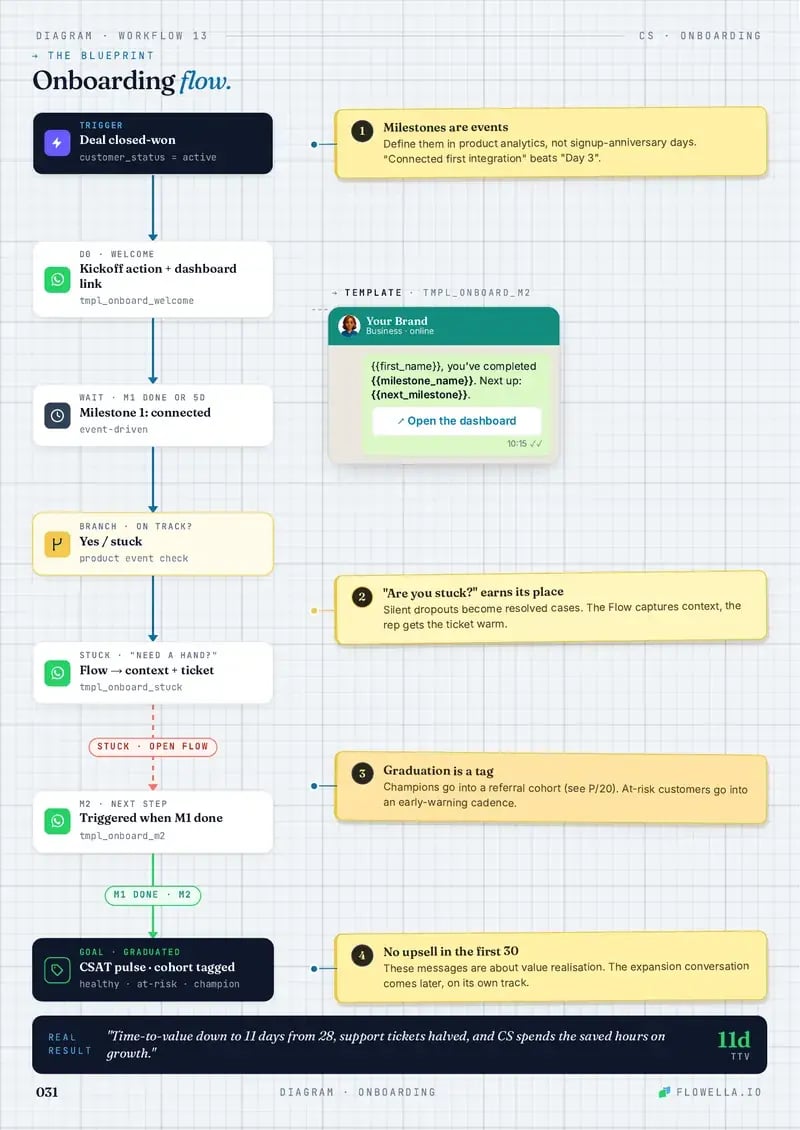
A welcome, a three-question Flow, then one branch: self-starters get one milestone at a time and the rest get a named person. You build it in a HubSpot workflow, from Flowella’s WhatsApp triggers and actions.
- Trigger
- Send WhatsApp
- Delay
- Branch
- Goal
- 1Numbered note
-
1Enrolment triggerA closed won deal or a paid sign-up
Lifecycle stage set to customer, or your app writing the new customer to HubSpot.
1Start at the handoverEnrol when the deal closes or the sign-up lands, while the decision is fresh.
-
Delay5 minutes
So the welcome follows the handover instead of landing on top of it.
-
2Send WhatsApp TemplateThe welcome
onboard_welcome, with the Flow button “Start setup”.2Ask how, before whatSome customers want a guide and some want a call. Ask first, then send the right one.
-
3Delay until event happensForm Completed, up to 2 days
The answers land as
setup_preference,team_sizeandonboarding_goal.No answer in 2 days: a person follows up; status is stalled.
3Rescue earlyA stalled setup should reach a person before the customer opens a ticket.
-
BranchIs
setup_preferencea guide?Self-starters get milestones; everyone else gets a named person.
-
YesSend WhatsApp TemplateThe first milestone
onboard_guide, step 1 of 3, with the guide4Delay until event happensStep 1 done, from your appThen step 2, the same way; a stall gets a person
GoalOnboardedonboarding_statusreadscompletedafter step 3NoRotate record to ownerOnboarding teamA named lead, before any message names them
Send WhatsApp TemplateThe kickoffonboard_kickoff, with a round-robin meetings link that puts the owner firstGoalKickoff bookedThe lead runs setup with the answers in hand
4One milestone at a timeEach step waits for the last, so nobody is reminded about work they’ve already done.
Workflow triggers and actions need HubSpot Professional or Enterprise. The answers land as contact properties on every HubSpot plan, Free included. Workflow actions guide
Copy that gets setup done.
Three WhatsApp templates and the Flow they open carry the first week. Each one reads well on a phone, and every variable comes from the HubSpot record.
-
onboard_welcomeUtilityEnglish (UK)Sample dataSends 5 minutes after the deal closes or the sign-up lands
Welcome to Acme PayrollHi {{first_name}}, welcome aboard. To get {{company_name}} set up, tell us how you’d like to start. It takes three taps, and your answers shape what we send next.Reply STOP to opt outStart setupWelcome to Acme PayrollHi Nadia, welcome aboard. To get Birchwood Dental set up, tell us how you’d like to start. It takes three taps, and your answers shape what we send next.Reply STOP to opt outStart setupWelcomes them by name and asks how they want to start, before any checklist.
-
onboard_startWhatsApp Flow1 screenSample dataOpens from the welcome’s button, synced from your HubSpot form
Let’s get you set up1 of 1Three quick answers and we’ll match your setup to how you work.
How would you like to set up?
I’ll follow a guideShow me on a callPlease set it up for meHow many people will use it?
Just me2 to 10More than 10What should it do for you first? (optional)SubmitLet’s get you set up1 of 1Three quick answers and we’ll match your setup to how you work.
How would you like to set up?
I’ll follow a guideShow me on a callPlease set it up for meHow many people will use it?
Just me2 to 10More than 10What should it do for you first? (optional)SubmitThe Flow, Let’s get you set up: how would you like to set up (I’ll follow a guide, show me on a call, please set it up for me), how many people will use it (just me, 2 to 10, more than 10) and an optional question, what should it do for you first.
Nadia’s Flow, with I’ll follow a guide and 2 to 10 chosen, and the optional question left blank.
How they want to set up, team size and a first goal. Each answer lands as its own property.
-
onboard_guideUtilityEnglish (UK)Sample dataSends when
setup_preferenceis I’ll follow a guideYour first stepGreat, {{first_name}}. Step 1 of 3: add your team, so everyone gets their payslips from day one. The guide takes about ten minutes, and we’ll check in when it’s done.Open the guideYour first stepGreat, Nadia. Step 1 of 3: add your team, so everyone gets their payslips from day one. The guide takes about ten minutes, and we’ll check in when it’s done.Open the guideOne milestone at a time, with the guide and a promise to check in.
-
onboard_kickoffUtilityEnglish (UK)Sample dataSends when they want a call or a hand, once an owner is set
Meet your onboarding leadThanks, {{first_name}}. {{owner_name}} will look after your setup and already has your answers. Pick a time below for a 30-minute kickoff call.Book a kickoff callMeet your onboarding leadThanks, Nadia. Hannah will look after your setup and already has your answers. Pick a time below for a 30-minute kickoff call.Book a kickoff callA named person, a HubSpot meetings link and their answers in hand before the call.
Sample templates. Meta approves each template before it can send, and the Send WhatsApp Template action maps HubSpot properties to its variables.
Five things that show onboarding is on track.
The play captures all five, and each lands in HubSpot as something a workflow can read, not a status someone has to chase.
| Signal | Stalling | On track | Lands in HubSpot as |
|---|---|---|---|
| How they want to startA guide or a call, chosen by the customer, sets the whole path. | No answer in 2 days | Chose a path | setup_preference |
| How big the team isTeam size says whether one guide will do or a kickoff call will save days. | Not asked | 2 to 10 | team_size |
| What first value meansTheir first goal, in their words, tells the onboarding lead what to fix first. | Left blank | A named first goal | onboarding_goal |
| Where they are nowIn progress, completed or stalled, on the record for customer success to report on. | Stalled | Completed | onboarding_statusA property the play creates |
| Whether they finishOnly a finished Flow fires Form Completed, so a half-answered welcome changes nothing. | Opened, then left | Every question done | Form CompletedThe Flowella trigger |
Why onboarding on WhatsApp works.
New customers want progress more than portals. WhatsApp keeps the next step in the chat they already check.
-
Why onboarding stalls
Customers miss emails, forget setup steps or don’t know when to ask for help. One milestone at a time, in the chat they check, keeps progress visible and a stall easy to spot.
-
How to enhance it
Trigger each milestone from events your app writes to HubSpot, assign a Breeze Customer Agent to setup questions, add knowledge base links, and tell the account team at each step.
-
Gotchas
Don’t send every task at once, avoid two people messaging the same customer, skip accounts already live, and keep it about setup: the upsell comes later, on its own track.
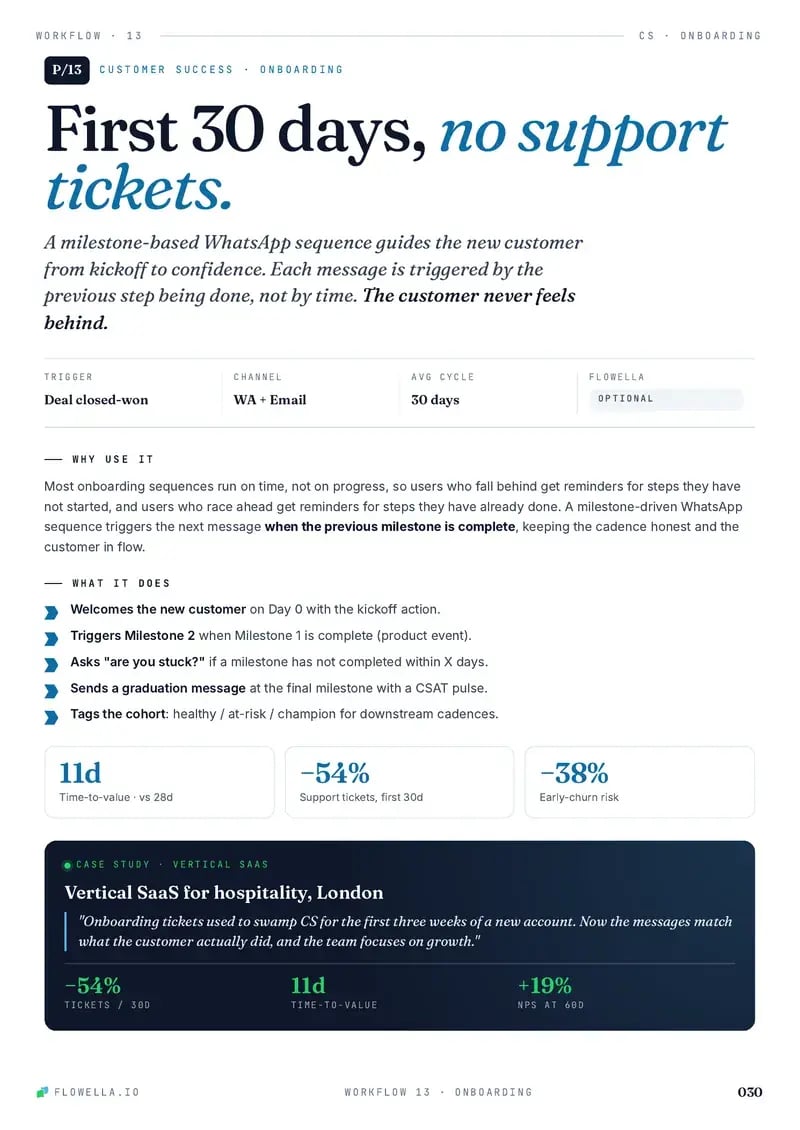
The point: onboarding isn’t a drip, it’s a guided path to first value.
Every play, in one playbook.
The HubSpot + WhatsApp Playbook, Vol. 01, puts each play on a two-page spread: why and when it works on the left, the blueprint on the right, and the WhatsApp copy ready to paste. Customer Onboarding is one of them.
- Leave your WhatsApp number. Four fields, and no sales call attached.
- A short Flow arrives. It’s a live Flowella Flow, so you see one working.
- The playbook lands in the same chat.
Free. Reply STOP at any time to stop the messages.
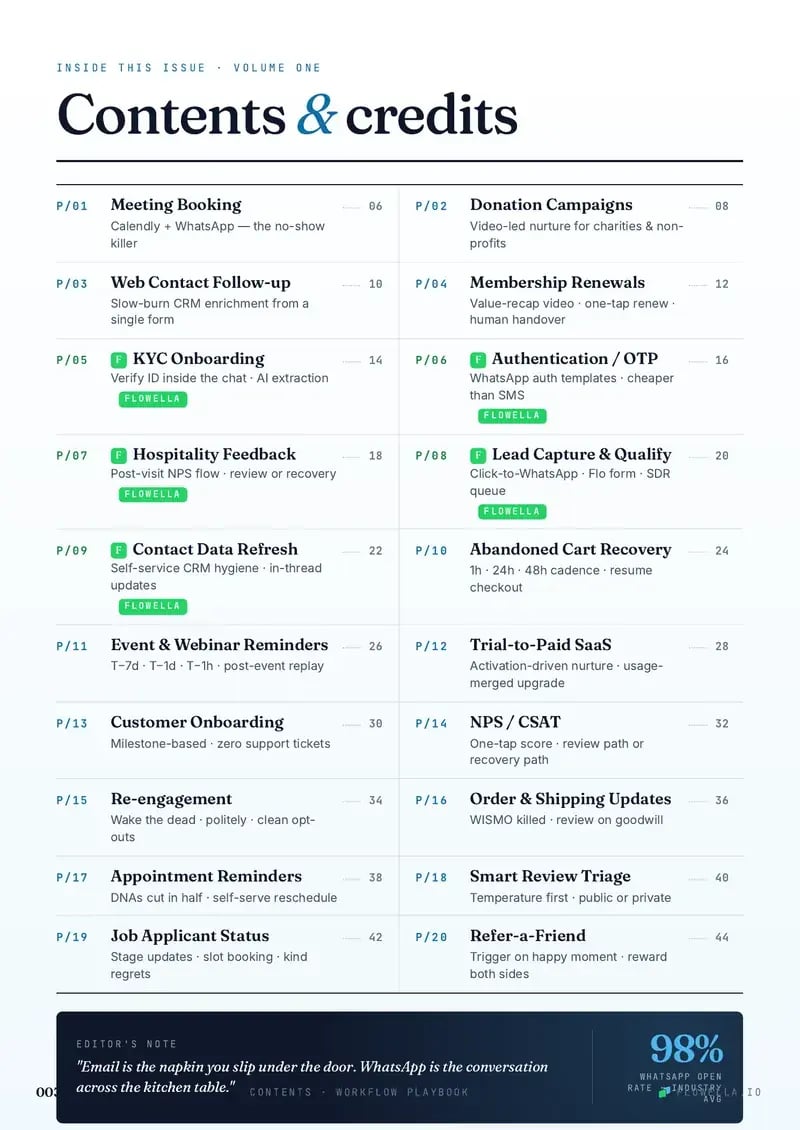
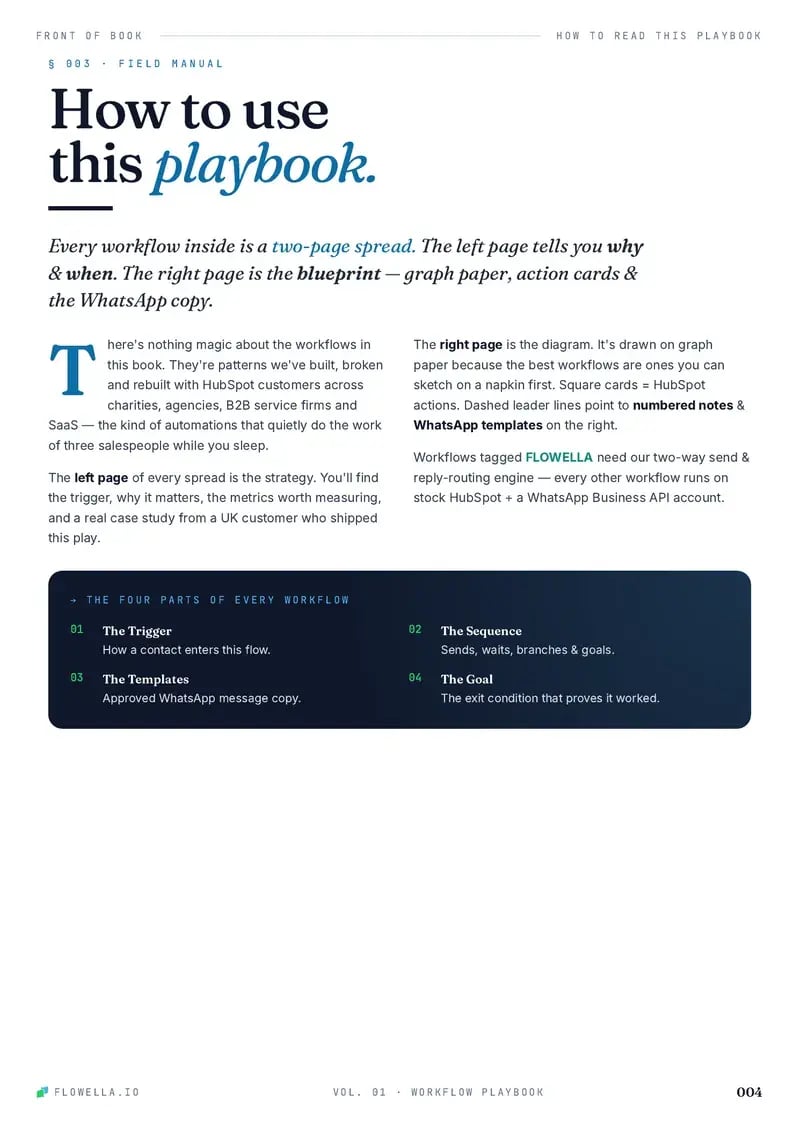

Page 1 of 5The coverPage 1 of 5The coverPage 2 of 5ContentsPage 3 of 5How to read a playPage 4 of 5This play: Customer OnboardingPage 5 of 5The blueprint: Customer Onboarding
Browse playbooks by what you do.
Twenty plays, each a working blueprint. These six sit closest to a strong start.
This play is filed under Support Customer success Professional Services B2B SaaS Agencies FinTech Education
-

Trial-to-Paid SaaS
Convert SaaS trials with WhatsApp activation nudges, usage-based branching, support rescue, upgrade CTAs, and paid-plan exits.
- Sales
- Customer success
-
KYC Onboarding
Complete KYC faster with WhatsApp document requests, missing-file nudges, verification branches, and manual review only for exceptions.
- Support
- Customer success
-
NPS / CSAT
Collect two-tap CSAT or NPS answers on WhatsApp, thank happy customers, and route every unhappy one to a person and a HubSpot ticket.
- Support
- Customer success
-

Membership Renewals
Renew more memberships: a WhatsApp reminder 30 days out, a one-screen Flow, the renewal link for members who stay, and a person for anyone unsure.
- Customer success
-
Contact Data Refresh
Refresh stale CRM records with WhatsApp confirmations, structured corrections, one reminder, and a clear freshness flag.
- Support
- Customer success
-

Meeting Booking Workflow
Book more meetings: a WhatsApp Flow asks the topic and timing, then sends a HubSpot meetings link that shows the right rep’s times, in the same chat.
- Sales

Ship the onboarding path first.
Turn every closed deal into a WhatsApp welcome that fits each customer’s setup, inside HubSpot. Start free today, or book a 30-minute demo and we’ll map this play to your handover.
Or book a 30-minute demo