
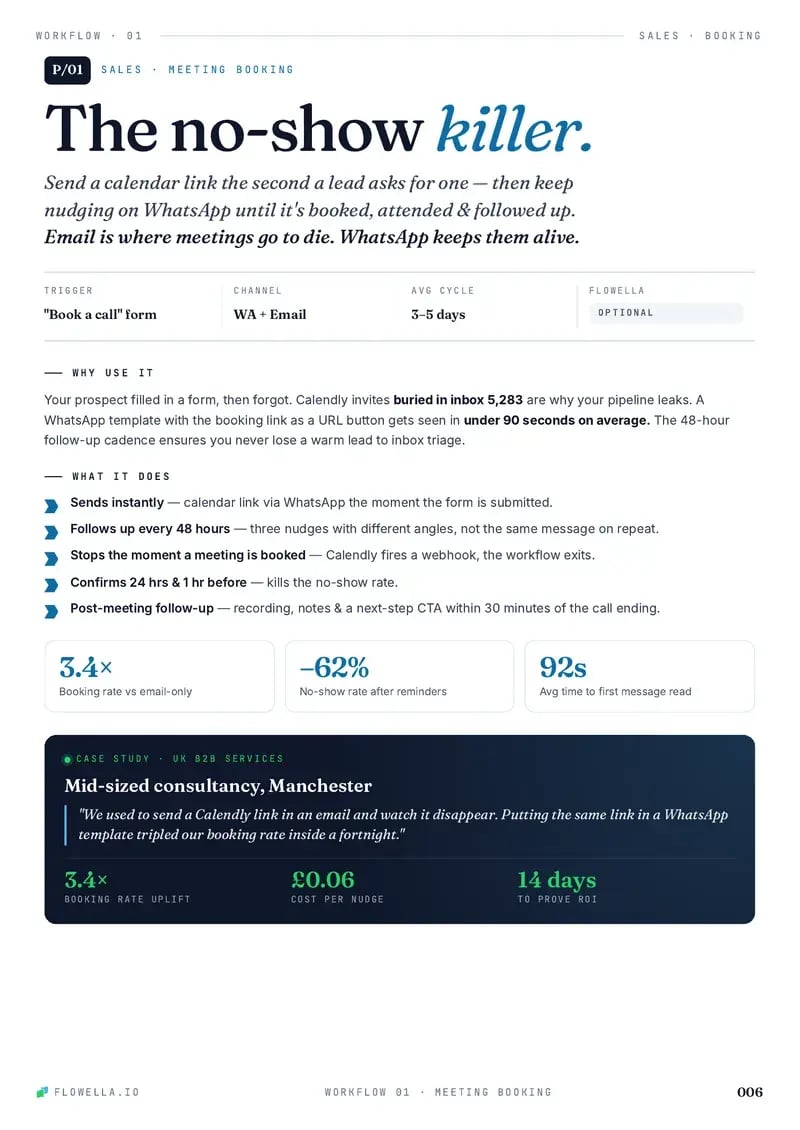
Book the call while they still want it. From request to diary on WhatsApp.
A two-tap WhatsApp Flow asks what they want to talk about and when suits, then sends a HubSpot meetings link that opens on the right rep’s times, in the same chat. No calendar link lost in an inbox.

Two taps, then a time with the right person.
- Trigger
- A “book a call” form, an ad or a chat link
- Channel
- WhatsApp, with the booking in HubSpot
- Workflow
- 3 templates, 1 Flow, 1 branch
- Needs
- HubSpot workflows, on Professional or Enterprise
Step through the play as the prospect.
Leah, a prospect, asks for a call from your form, an ad or the chat link on your site. Each step shows what she sees on WhatsApp and what lands on her HubSpot record, from the request to the meetings link. Your answers in the Flow decide which way the branch goes.
Prospects ask from a form, an ad or your chat link. Pick one.
Prospects ask from a form, an ad or your chat link. Pick one. Five minutes later, the opener lands on WhatsApp. An ad lead messages first, so the opener goes back at once. The link sends a message, so the opener goes back at once. Answer as Leah. Your taps decide the branch. Three answers, three clean properties. 100 points. 40 or more, so the times go now. 100 points. Under 40, so no pressure yet. Sam’s times are in the chat. One tap to book. The link stays in the chat for when she’s ready.
-
Yes, 40 or more: send times now
No, under 40: keep the link open
-
Book now:
meeting_linkand an ownerLater:
meeting_later, no pressure
A
Acme CloudBusiness account
Sample dataToday
The opener lands here
LM
Leah Morgan
Fernhill, +44 7700 900214
Sample dataProperties
flowella_entry_ point - No valuedirectBook a call formChat button on your site
meeting_topic - No valuesomething_else
meeting_timing - No valuenot_sure_yet
meeting_notes - No valueTwo lines of text, the most this row shows of a longer answer
booking_score - No value600, 60 for timing
hs_lead_ status - NEWIN_PROGRESS
hubspot_owner_ id - No valueSam PatelUnassigned for now
Activity
1 of 7 properties written
Step 1 of 5, the trigger: Leah sends your Book a call form, and the workflow enrols the new contact.
Workflow triggers and actions need HubSpot Professional or Enterprise. Workflow actions guide
Try a live Flow
Scan the code with your phone to open one in WhatsApp. It’s Flowella’s own Flow, not this playbook.
Open it in WhatsApp (opens in a new tab)Acme CloudFrom an ad: Book a short demo this weekHi, I’d like to book a call.
Hi Acme, can we set up a call?
Let’s find a timeHi Leah, thanks for asking for a call. Two quick taps tell us what you’d like to cover and when suits, and we’ll send times with the right person.Reply STOP to opt out
Book your call
Here are some timesThanks, Leah. Sam is the best person for this and has times this week and next. Pick the slot that suits you, and the invite follows by email.Pick a time
No rush, Leah. Here’s the link for whenever suits, so you can pick a time when you’re ready. Reply here if a question comes up first.Reply STOP to opt outSee available times
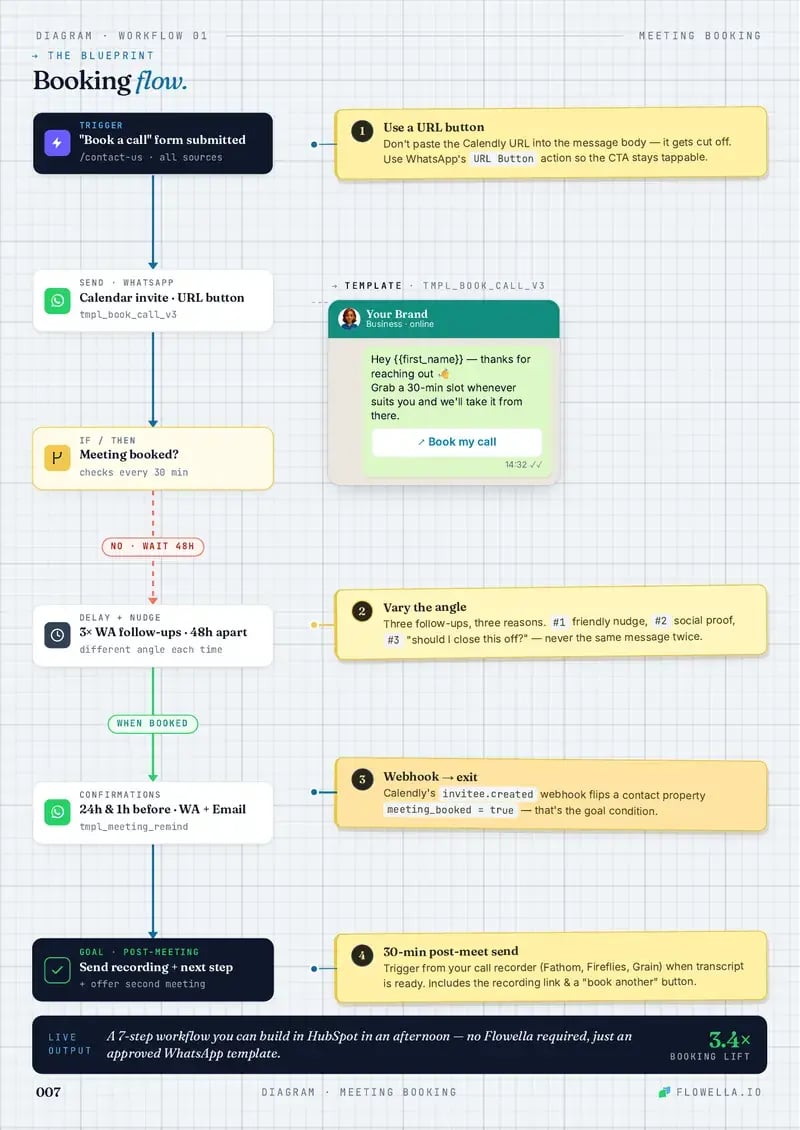
The meeting booking blueprint.
Request, opener, a two-tap Flow, then one branch: ready prospects get the right rep’s times, and the rest keep the link for later. You build it in a HubSpot workflow today; Flowella’s own booking blueprint is coming soon.
- Trigger
- Send WhatsApp
- Delay
- Branch
- Goal
- 1Numbered note
-
Enrolment triggerA form, an ad or a chat link
A HubSpot form submission, or the first WhatsApp message from your ad or your site’s chat link.
-
Delay5 minutes, for form leads
Ad and chat-link leads messaged first, so their opener goes straight away.
-
Send WhatsApp TemplateThe opener
meeting_opener, with the Flow button “Start booking”. -
1Delay until event happensForm Completed, up to 2 days
The answers land as
meeting_topic,meeting_timingandmeeting_notes.No answer in 2 days: a task for a rep, no second message.
1Ask for details, not a slotTopic and timing tell you which rep and which meetings link to send.
-
2BranchIs
booking_score40 or more?Only timing scores: this week is 60, next week 40, not sure yet 0.
2Timing sets the paceThis week or next gets times now. Not sure yet gets the link without the pressure.
-
Yes3Rotate record to ownerThe right rep
By topic: demos to the demo team, pricing to sales
4Send WhatsApp TemplateThe meetings linkmeeting_link, with your round-robin meetings link on “Pick a time”Delay until event happensA meeting booked, up to 2 daysHubSpot logs the booking from the meetings link on the record
Not booked in 2 days: the same link once more, then stop.
GoalA time in the diaryLead status In progress; the rep takes it from here
NoSend WhatsApp TemplateThe open doormeeting_later, with the same link for laterEdit recordLead status: Bad timinghs_lead_status, so sales can see why there’s no meeting yetGoalBooked when they’re readyA later booking from the link lands on the same record
3Rotate before you sendSet the owner first, so
rep_namefills in with a real person.4One link, the owner’s timesOne link for every lead, set to prioritise the contact owner, so each sees their own rep’s times.
Workflow triggers and actions need HubSpot Professional or Enterprise. The answers land as contact properties on every HubSpot plan, Free included. Workflow actions guide
Copy that gets the call booked.
Three WhatsApp templates and the Flow they open carry the play. The booking itself happens on your HubSpot meetings link, so HubSpot logs the meeting on the record.
-
meeting_openerUtilityEnglish (UK)Sample dataSends 5 minutes after the form, or straight back when they message first
Let’s find a timeHi {{first_name}}, thanks for asking for a call. Two quick taps tell us what you’d like to cover and when suits, and we’ll send times with the right person.Reply STOP to opt outStart bookingLet’s find a timeHi Leah, thanks for asking for a call. Two quick taps tell us what you’d like to cover and when suits, and we’ll send times with the right person.Reply STOP to opt outStart bookingAnswers the request in minutes, on the channel they check, with two taps instead of an email thread.
-
meeting_detailsWhatsApp Flow1 screenSample dataOpens from the opener’s button, synced from your HubSpot form
Book your call1 of 1Tell us what you’d like to cover and when suits. We’ll send times with the right person.
What would you like to cover?
A demo of the productPricing for my teamSomething elseWhen suits you?
This weekNext weekNot sure yetAnything we should prepare? (optional)SubmitBook your call1 of 1Tell us what you’d like to cover and when suits. We’ll send times with the right person.
What would you like to cover?
A demo of the productPricing for my teamSomething elseWhen suits you?
This weekNext weekNot sure yetAnything we should prepare? (optional)SubmitThe Flow, Book your call: what would you like to cover (a demo of the product, pricing for my team, something else), when suits you (this week, next week, not sure yet) and an optional question, anything we should prepare.
Leah’s Flow, with a demo of the product and this week chosen, and the optional question left blank.
Topic and timing as taps, notes optional. Each answer lands as its own property.
-
meeting_linkUtilityEnglish (UK)Sample dataSends when
booking_scoreis 40 or moreHere are some timesThanks, {{first_name}}. {{rep_name}} is the best person for this and has times this week and next. Pick the slot that suits you, and the invite follows by email.Pick a timeHere are some timesThanks, Leah. Sam is the best person for this and has times this week and next. Pick the slot that suits you, and the invite follows by email.Pick a timeOne round-robin link for every lead, set to prioritise the contact owner, so Sam’s times show first.
-
meeting_laterUtilityEnglish (UK)Sample dataSends when
booking_scoreis under 40No rush, {{first_name}}. Here’s the link for whenever suits, so you can pick a time when you’re ready. Reply here if a question comes up first.Reply STOP to opt outSee available timesNo rush, Leah. Here’s the link for whenever suits, so you can pick a time when you’re ready. Reply here if a question comes up first.Reply STOP to opt outSee available timesNo pressure: the link stays in the chat, and the door stays open.
Sample templates. Meta approves each template before it can send, and the Send WhatsApp Template action maps HubSpot properties to its variables.
Five things that tell you who’s ready to meet.
The play captures all five. The answers land in custom properties the play creates, next to Flowella’s own events, so a workflow can read them.
| Signal | Noise | Real demand | Lands in HubSpot as |
|---|---|---|---|
| What they want to coverThe topic picks the rep and the meeting before anyone opens a calendar. | Something else | A demo of the product | meeting_topic |
| When suits themThis week means send times now. Not sure yet means wait without nagging. | Not sure yet | This week | meeting_timing |
| What they want preparedA note before the call gives the rep a better first five minutes. | Left blank | A named question | meeting_notes |
| How fast they open itFlowella logs how long the opener took to read. Minutes beat days. | Read days later | Read in minutes | timeToReadSecondsOn the Message read event |
| Whether they finishOnly a finished Flow fires Form Completed, so a half-hearted tap never gets a meetings link. | Opened, then left | Every question done | Form CompletedThe Flowella trigger |
Why WhatsApp booking works.
A meeting request goes cold in an inbox. WhatsApp answers it in minutes, asks what matters in two taps and puts the right person’s times in the same chat.
-
Why speed matters
Someone who asks for a call has the time and the intent right now. A reply on the channel they check, with times attached, books the call before their week fills up.
-
How to enhance it
Send a different meetings link by topic or team, route larger accounts to a senior rep, and add a WhatsApp reminder before the call with the appointment reminders play.
-
Gotchas
Set the owner before the link goes, send one nudge at most, honour STOP replies, and leave out contacts who already have a meeting booked.
The point: the request starts the conversation; WhatsApp puts it in the diary.
Every play, in one playbook.
The HubSpot + WhatsApp Playbook, Vol. 01, puts each play on a two-page spread: why and when it works on the left, the blueprint on the right, and the WhatsApp copy ready to paste. Meeting Booking Workflow is one of them.
- Leave your WhatsApp number. Four fields, and no sales call attached.
- A short Flow arrives. It’s a live Flowella Flow, so you see one working.
- The playbook lands in the same chat.
Free. Reply STOP at any time to stop the messages.
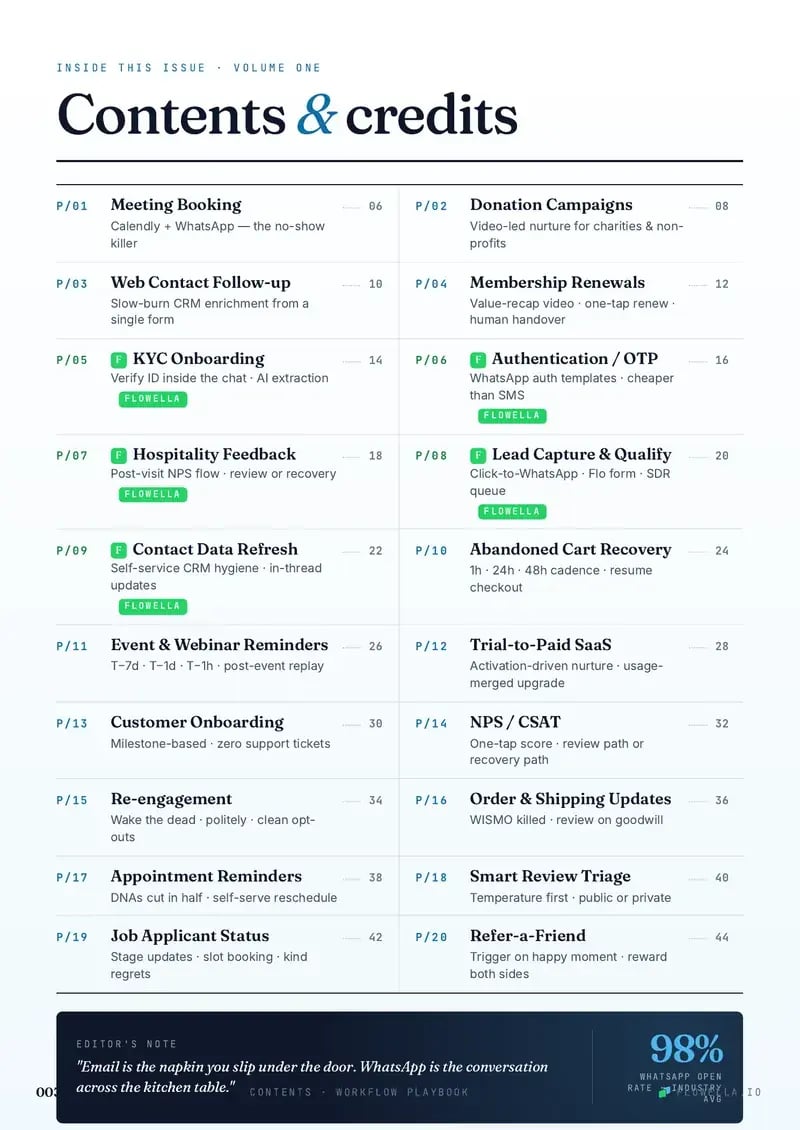
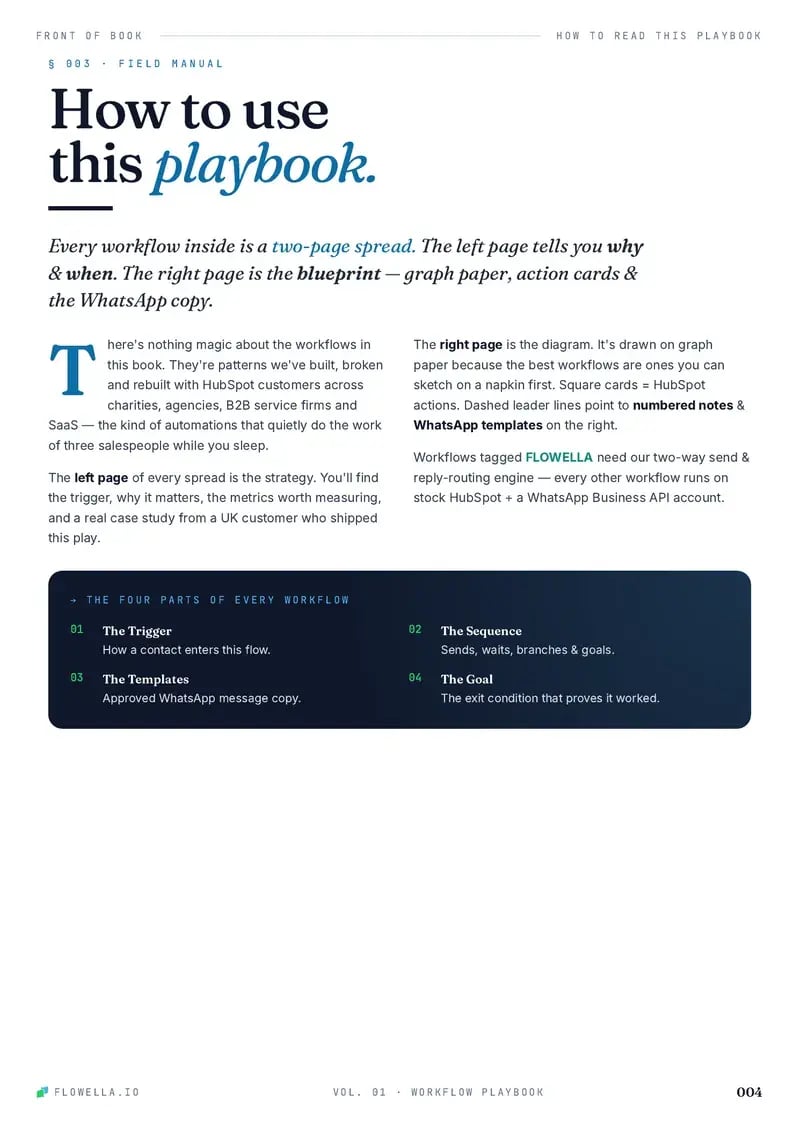

Page 1 of 5The coverPage 1 of 5The coverPage 2 of 5ContentsPage 3 of 5How to read a playPage 4 of 5This play: Meeting Booking WorkflowPage 5 of 5The blueprint: Meeting Booking Workflow
Browse playbooks by what you do.
Twenty plays, each a working blueprint. These six sit closest to meeting booking.
This play is filed under Sales Book and remind Professional Services B2B SaaS Agencies Hospitality
-

Appointment Reminders
Cut no-shows with WhatsApp appointment confirmations, timed reminders, prep requests, self-serve reschedule, and attendance follow-up.
- Sales
- Support
-
Lead Capture & Qualify
Qualify captured leads with WhatsApp questions, scoring, high-fit sales routing, and nurture for low-urgency contacts.
- Sales
- Marketing
-
Web Contact Follow-up
Convert more web enquiries: a two-field form, then WhatsApp questions a tap at a time that enrich HubSpot and qualify the lead before an SDR calls.
- Marketing
-
Event & Webinar Reminders
Fill events and webinars with a WhatsApp invite, a three-tap booking Flow, timed reminders, and the recording for anyone who can’t make it.
- Sales
- Marketing
-
Job Applicant Status
Improve candidate experience with WhatsApp application confirmations, stage updates, interview booking, offer or regret messages, and hiring outcome tracking.
- Sales
- Support
-

Trial-to-Paid SaaS
Convert SaaS trials with WhatsApp activation nudges, usage-based branching, support rescue, upgrade CTAs, and paid-plan exits.
- Sales
- Customer success

Put your booking link on WhatsApp.
Turn every “book a call” request into a WhatsApp Flow and a HubSpot meetings link. Start free today, or book a 30-minute demo and we’ll map this play to your own form.
Or book a 30-minute demo