
Returns that keep the sale. Sorted in two taps on WhatsApp.
When an order is delivered, or a customer asks to send something back, open a one-screen WhatsApp Flow. An exchange or store credit is arranged in the same chat, and a refund starts without an email chain.
Wrong size? Swap it in two taps.
- Trigger
- A delivered order, a QR code or a question
- Channel
- WhatsApp, with each answer in HubSpot
- Workflow
- 3 templates, 1 Flow, 1 branch
- Needs
- HubSpot workflows, on Professional or Enterprise
Step through the play as the shopper.
Maya’s order has arrived and the trainers don’t fit, or she asks how to send them back. Each step shows what she sees on WhatsApp and what lands on her HubSpot record, from the delivery message to the label. Your answers in the Flow decide which way the branch goes.
Returns start with a delivery, or a question. Pick one.
Returns start with a delivery, or a question. Pick one. A day after delivery, the check-in lands on WhatsApp. Maya asked first, so the message goes back at once. Answer as Maya. Your taps decide the branch. The reason and the outcome, on the record. 60 points. 60 or more, so the sale is kept. 60 points. Under 60, so a refund starts. The label is in the chat. The exchange follows the scan. The label is in the chat. The refund follows the parcel.
-
Yes, 60 or more: an exchange or credit
No, under 60: a refund
-
Keep:
return_exchangeand the labelRefund:
return_refundand the label
A
Acme OutdoorBusiness account
Sample dataToday
The opener lands here
MC
Maya Collins
+44 7700 900417
Sample dataProperties
return_trigger - order_deliveredcustomer_messageA day after deliveryA question in the chat
return_reason - No valuechanged_mind
return_outcome - No valuestore_credit
return_note - No valueTwo lines of text, the most this row shows of a longer answer
return_score - No value600, 60 for outcome
return_status - noneexchange_started
hubspot_owner_ id - No valueOnly for faulty items
Activity
2 of 7 properties written
Step 1 of 5, the trigger: your store marks Maya’s order as delivered on her HubSpot record, and the workflow enrols her.
Workflow triggers and actions need HubSpot Professional or Enterprise. Workflow actions guide
Try a live Flow
Scan the code with your phone to open one in WhatsApp. It’s Flowella’s own Flow, not this playbook.
Open it in WhatsApp (opens in a new tab)Hi, these trainers are too small. Can I send them back?
Your order has arrivedHi Maya, your order 1042 was delivered on 12 November. We hope it’s right. If anything needs to go back, start a return here in two taps.
Start a return
Your exchange is under wayThanks, Maya. We’ve set up your return for order 1042. Print your label or get a QR code on the page below, and we’ll send your exchange or credit as soon as the parcel is scanned.Get my label
Your refund is on its wayThanks, Maya. We’ve set up your return for order 1042. Print your label or get a QR code on the page below, and we’ll refund you once the parcel reaches us.Get my label
The returns and exchanges blueprint.
A delivery message with a one-screen Flow, then one branch: an exchange or store credit keeps the order value with you, and a refund goes through without a chase. You build it in a HubSpot workflow, from Flowella’s triggers and actions.
- Trigger
- Send WhatsApp
- Delay
- Branch
- Goal
- 1Numbered note
-
1Enrolment trigger
order_statusis deliveredYour store writes the order and its status to HubSpot. A question in the chat enrols too.
1The order comes from your storeYour store writes the order number and delivery status to the contact. The template sends what is there.
-
Delay1 day
Long enough to open the parcel and try it on.
-
Send WhatsApp TemplateThe delivery message
delivery_check, with the order number and the Flow button “Start a return”. -
2Delay until event happensForm Completed, up to 28 days
The answers land as
return_reason,return_outcomeandreturn_note.No answer by the end of your returns window: the workflow ends.
2One ask, no chasingThe delivery message is the only prompt. Nobody is reminded to send something back.
-
3BranchIs
return_score60 or more?An exchange or store credit scores 60. A refund scores 0.
3Offer the swap firstExchange and store credit sit above refund, but a refund is always one tap away.
-
Yes4Edit recordMark the exchange
return_statusbecomes exchange_started, for your store to act onSend WhatsApp TemplateThe exchangereturn_exchange, with the link to your own returns pageGoalSale keptThe exchange or credit goes out when the parcel is scanned
NoEdit recordMark the refundreturn_statusbecomes refund_started, for your store to act onSend WhatsApp TemplateThe refundreturn_refund, with the link to your own returns page5Create taskFaulty items get a personA task for support when the reason is faulty or damaged
GoalRefunded, without a chaseThe refund follows the parcel, and the reason is on the record
4Hand over through your APIA Send a webhook step can pass the return to your store or returns system, which issues the label.
5Faulty means a personA faulty item is a complaint as well as a return, so support sees it the same day.
Workflow triggers and actions need HubSpot Professional or Enterprise. The answers land as contact properties on every HubSpot plan, Free included. Workflow actions guide
Copy that keeps the sale.
Three WhatsApp templates and the Flow they open carry the return. The order details come from your store through the HubSpot record, and the label comes from your own returns page.
-
delivery_checkUtilityEnglish (UK)Sample dataSends a day after
order_statusis delivered, or straight back to a questionYour order has arrivedHi {{first_name}}, your order {{order_number}} was delivered on {{delivered_date_text}}. We hope it’s right. If anything needs to go back, start a return here in two taps.Start a returnYour order has arrivedHi Maya, your order 1042 was delivered on 12 November. We hope it’s right. If anything needs to go back, start a return here in two taps.Start a returnA delivery update first, with the way back one tap away.
-
return_requestWhatsApp Flow1 screenSample dataOpens from the message’s button, synced from your HubSpot form
Start a return1 of 1Sorry it wasn’t right. Tell us why you’re returning it and what you’d like, and we’ll sort the rest.
Why are you returning it?
Wrong size or fitChanged my mindFaulty or damagedWhat would you like?
An exchangeStore creditA refundAnything else we should know? (optional)SubmitStart a return1 of 1Sorry it wasn’t right. Tell us why you’re returning it and what you’d like, and we’ll sort the rest.
Why are you returning it?
Wrong size or fitChanged my mindFaulty or damagedWhat would you like?
An exchangeStore creditA refundAnything else we should know? (optional)SubmitThe Flow, Start a return: why are you returning it (wrong size or fit, changed my mind, faulty or damaged), what would you like (an exchange, store credit, a refund) and an optional question, anything else we should know.
Maya’s Flow, with wrong size or fit and an exchange chosen, and the optional question left blank.
The reason as one tap, the outcome as another, a note if they want.
-
return_exchangeUtilityEnglish (UK)Sample dataSends when
return_scoreis 60 or moreYour exchange is under wayThanks, {{first_name}}. We’ve set up your return for order {{order_number}}. Print your label or get a QR code on the page below, and we’ll send your exchange or credit as soon as the parcel is scanned.Get my labelYour exchange is under wayThanks, Maya. We’ve set up your return for order 1042. Print your label or get a QR code on the page below, and we’ll send your exchange or credit as soon as the parcel is scanned.Get my labelThe label and the next step in one message, with the sale kept.
-
return_refundUtilityEnglish (UK)Sample dataSends when
return_scoreis under 60Your refund is on its wayThanks, {{first_name}}. We’ve set up your return for order {{order_number}}. Print your label or get a QR code on the page below, and we’ll refund you once the parcel reaches us.Get my labelYour refund is on its wayThanks, Maya. We’ve set up your return for order 1042. Print your label or get a QR code on the page below, and we’ll refund you once the parcel reaches us.Get my labelA clear refund path, with no form to hunt for and no email to chase.
Sample templates. Meta approves each template before it can send, and the Send WhatsApp Template action maps HubSpot properties to its variables.
Five things a return tells you.
The play captures all five. The answers land in custom properties the play creates, next to Flowella’s own events, so a workflow can read them.
| Signal | Refund | Sale kept | Lands in HubSpot as |
|---|---|---|---|
| Why it is coming backA reason on the record shows which products run small and which arrive damaged. | Changed my mind | Wrong size or fit | return_reason |
| What they want nextAn exchange or credit keeps the order value. A refund ends it cleanly. | A refund | An exchange | return_outcome |
| How fast they open itFlowella logs how long the delivery message took to read. Minutes beat days. | Read days later | Read in minutes | timeToReadSecondsOn the Message read event |
| Whether they finishOnly a finished Flow fires Form Completed. Most orders never start one, which is the point. | Opened, then left | Every question done | Form CompletedThe Flowella trigger |
| What they tell youA size or a fault in their own words, before it becomes a review. | Left blank | A size or a fault | return_note |
Why WhatsApp returns work.
A return is the moment a shopper decides whether to buy from you again. Two taps, a clear next step and a swap offered first turn a refund request into a second chance.
-
Why speed matters
A shopper with the wrong size wants the right one this week. A return started in the chat the day the parcel lands, with the label a tap away, is easier to turn into an exchange than a form filled in a fortnight later.
-
How to enhance it
Add a Send a webhook step that passes each return to your store or returns system, so the label is issued for the right items. Offer a bonus on store credit, and ask what size they need when the reason is fit.
-
Gotchas
Keep your returns policy and the label on your own page. Never make a refund harder to choose than an exchange, send faulty items to a person, and skip orders outside your returns window.
The point: make the return easy, and the swap easier.
Every play, in one playbook.
The HubSpot + WhatsApp Playbook, Vol. 01, puts each play on a two-page spread: why and when it works on the left, the blueprint on the right, and the WhatsApp copy ready to paste. Returns & Exchanges is one of them.
- Leave your WhatsApp number. Four fields, and no sales call attached.
- A short Flow arrives. It’s a live Flowella Flow, so you see one working.
- The playbook lands in the same chat.
Free. Reply STOP at any time to stop the messages.
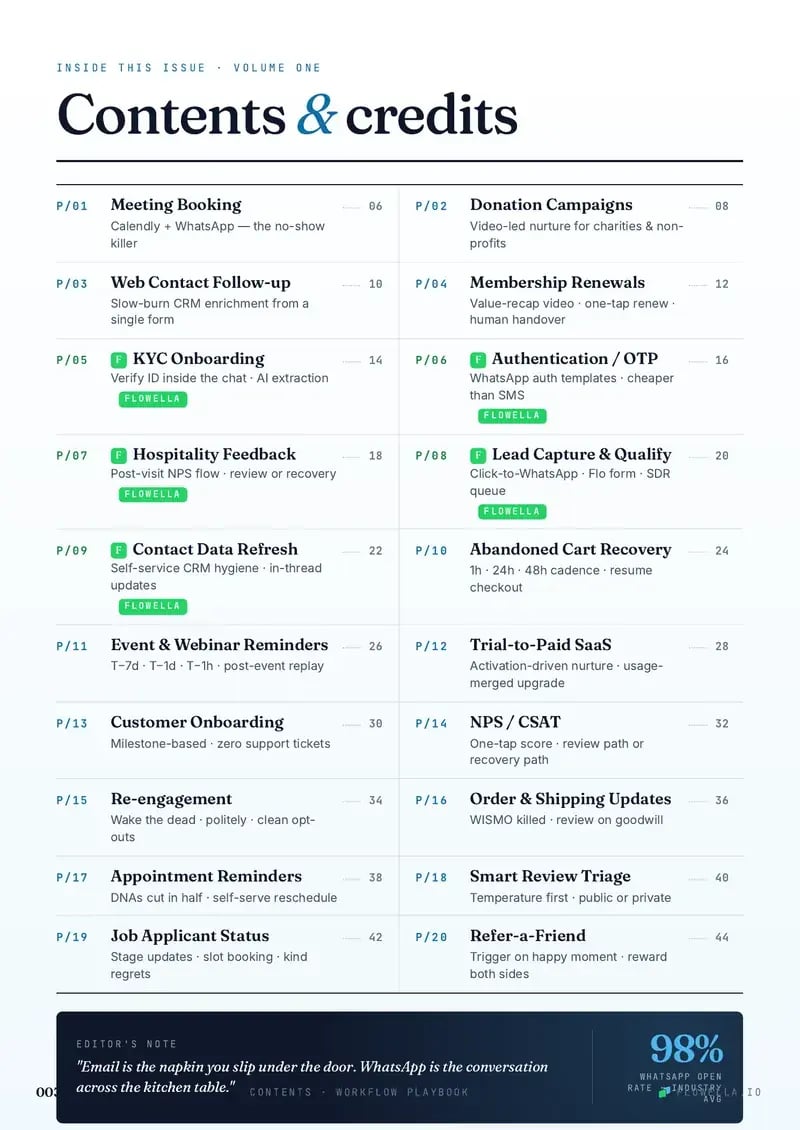
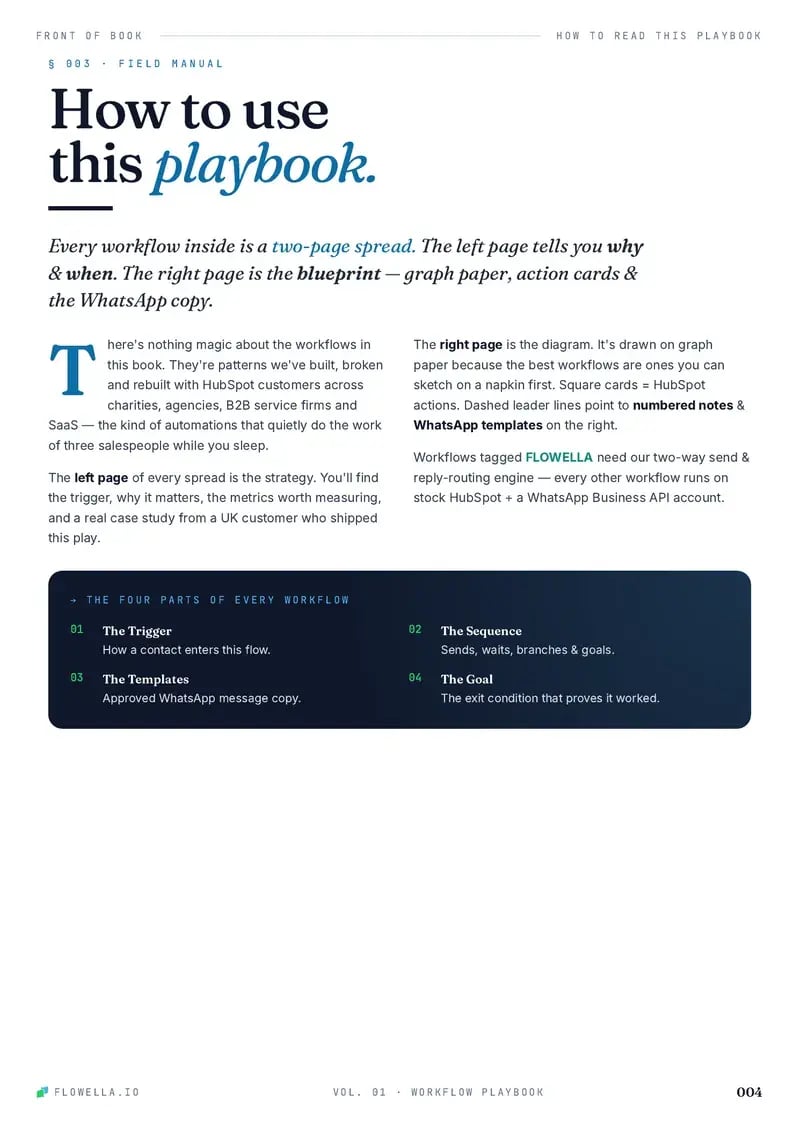

Page 1 of 3The coverPage 1 of 3The coverPage 2 of 3ContentsPage 3 of 3How to read a play
Browse playbooks by what you do.
Every play is a working blueprint. These six sit closest to returns and exchanges.
This play is filed under Support Customer success Keep customers Ecommerce
-

Order & Shipping Updates
Cut “where is my order?” tickets with WhatsApp order confirmations, dispatch updates, delivery branches, delay recovery, and review prompts.
- Support
- Customer success
-

Abandoned Cart Recovery
Recover abandoned carts with WhatsApp reminders, purchase-status exits, support-first rescue, and controlled incentives.
- Marketing
- Customer success
-
Smart Review Triage
Check in privately on WhatsApp first, invite a public review while the goodwill is fresh, and give unhappy customers a manager first, with the review link still open to them.
- Marketing
- Support
-
NPS / CSAT
Collect two-tap CSAT or NPS answers on WhatsApp, thank happy customers, and route every unhappy one to a person and a HubSpot ticket.
- Support
- Customer success
-

Refer-a-Friend
Turn happy customers into tracked referrals with WhatsApp invites, unique links, friend signup checks, thank-you messages, and two-sided rewards.
- Marketing
- Customer success
-
Re-engagement
Wake dormant contacts with a WhatsApp preference prompt, branch interest, snooze, and opt-out paths, and clean HubSpot automatically.
- Marketing
- Customer success
Turn your next return into an exchange.
Give shoppers a two-tap return in the chat, with the swap offered first and the refund never hidden. Start free today, or book a 30-minute demo and we’ll map this play to your store.
Or book a 30-minute demo