9 No-Code WhatsApp Automations for HubSpot Teams

HubSpot marketing and RevOps teams often discover a gap between their WhatsApp conversations and their CRM data. Leads arrive via WhatsApp, but the structured information your workflows need stays trapped in chat threads. Flowella gives you a way to bridge that gap with no-code WhatsApp automation—turning forms into interactive WhatsApp Flows that write clean, mapped data straight into HubSpot contact properties.
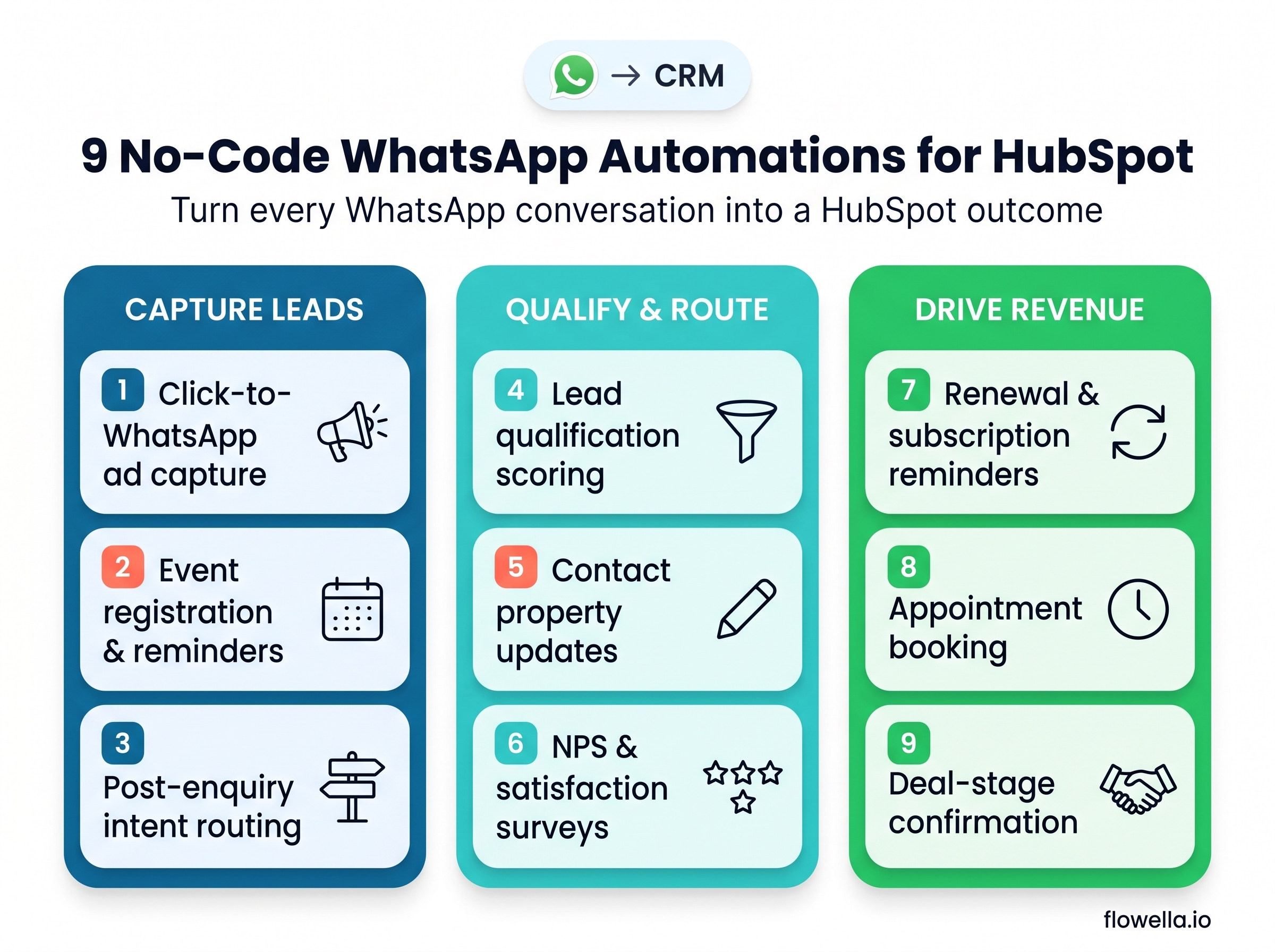
This article walks through nine practical WhatsApp workflow automations you can launch without writing a single line of code. Each automation ties directly to a specific HubSpot outcome: lead capture, qualification, or CRM property mapping. By the end, you'll have a clear picture of how to make WhatsApp a measurable, reportable part of your marketing and revenue operations.
1. Lead Capture from Click-to-WhatsApp Ads
Click-to-WhatsApp ads on Facebook and Instagram deliver high-intent traffic directly into a chat window. The challenge is turning that conversation into a structured lead record that your HubSpot workflows can act on.
With Flowella, you can set up an automated welcome flow that triggers the moment someone taps your ad. The flow presents a short series of tap-friendly questions—name, company, primary interest—and writes each answer into the matching HubSpot contact property. No manual data entry, no copy-paste errors.
This automation matters because speed-to-lead directly affects conversion. When your lead capture flow posts data to HubSpot in real time, your assignment and nurture workflows can trigger immediately.
How to set it up
- Create a lead capture form in HubSpot with the fields you want to collect
- Use Flowella to convert that form into a WhatsApp Flow
- Link your Click-to-WhatsApp ad to trigger the welcome message and flow
- Map each flow response to the corresponding HubSpot property
2. Lead Qualification with Scoring-Ready Data
Not every WhatsApp conversation represents a sales-ready lead. A qualification flow asks the right questions—role, company size, budget range, timeline—and writes structured answers into HubSpot properties your scoring rules already use.
Flowella lets you design multi-step qualification journeys using button-based responses. When a prospect selects "50-200 employees" from a company size picker, that value lands in your HubSpot company_employee_range property exactly as your workflows expect it. No interpretation required.
The benefit extends beyond speed. When qualification data arrives pre-formatted, your lead scoring works on day one. Reps receive leads that already carry the context they need to prioritise follow-up.
How to set it up
- Identify the 4-6 properties your lead scoring model depends on
- Build a short WhatsApp Flow that captures each property with clear, tappable options
- Configure Flowella to post completed flows as HubSpot form submissions
- Test that completed flows update the lifecycle stage and trigger assignment workflows
3. Event Registration and Reminder Sequences
Webinars, open days, and product demos all benefit from higher attendance rates. WhatsApp registration flows capture RSVPs and automatically enrol registrants into reminder sequences—all mapped to your HubSpot event tracking properties.
A typical flow asks for name, email, and session preference. Flowella posts the registration to HubSpot, where your existing workflows send confirmation and reminder messages via WhatsApp or email. Because WhatsApp messages see open rates above 90%, your reminders are far more likely to be read.
This approach also reduces no-shows. When registrants receive a WhatsApp nudge 24 hours before the event, they're reminded in a channel they check constantly. Meta's WhatsApp Flows documentation shows how businesses build structured interactions for exactly this kind of scheduled engagement.
How to set it up
- Create an event registration form in HubSpot with session and date fields
- Generate a WhatsApp registration flow using Flowella
- Link the flow to your event landing page or promotional message
- Set up HubSpot workflows to send reminder templates
4. Post-Enquiry Routing Based on Intent
Not every enquiry deserves the same follow-up path. A WhatsApp intake flow can ask a single-intent question—"Are you interested in pricing, support, or a demo?"—and automatically route the conversation to the appropriate team.
When the prospect taps "Demo," Flowella updates the HubSpot contact with an intent property value and triggers a workflow that assigns a sales rep and creates a task. Support enquiries go to your service team. Pricing questions route to your SDRs.
This automation replaces manual triage. Instead of a team member reading every inbound message to decide where it should go, your WhatsApp Flow handles the routing in seconds. The result is faster first responses and clearer accountability.
How to set it up
- Define 3-4 intent categories that cover your most common enquiry types
- Build a WhatsApp Flow with a single intent-selection screen
- Map the selected intent to a HubSpot property like
enquiry_intent - Create HubSpot workflows that assign owners and create tasks based on intent value
5. Contact Property Updates via Micro-Flows
CRM data decays over time. Job titles change, companies grow, phone numbers update. A WhatsApp micro-flow can ask contacts to confirm or correct key details in under 30 seconds and write the updates directly to HubSpot.
You can trigger these micro-flows from HubSpot workflows when a contact opens a certain number of emails or returns to your site after inactivity. The flow surfaces the current values and lets you tap quickly to confirm or update. Flowella posts the refreshed data back to HubSpot.
This keeps your database accurate without asking contacts to log into a preference centre or fill out a long form. The conversational format feels lighter, and WhatsApp's high response rates mean more contacts actually complete the update.
How to set it up
- Identify the properties most prone to decay: job title, company size, phone number
- Build a short Flowella micro-flow that displays current values and asks for corrections
- Trigger the flow from a HubSpot workflow based on engagement or time since last update
- Map responses to update the existing contact properties in HubSpot
6. NPS and Satisfaction Surveys
Post-purchase or post-support surveys suffer from low email response rates. Moving your NPS or CSAT survey into a WhatsApp Flow dramatically increases completion because customers respond where they already spend their time.
A typical survey flow presents the NPS scale (0-10) as tappable buttons, follows with an optional open-text question, and posts the score and verbatim to HubSpot. Your workflows can then trigger thank-you messages, flag detractors for follow-up, or enrol promoters in referral campaigns.
Flowella makes it simple to map the NPS score to a dedicated HubSpot property like nps_score and the comment to a nps_feedback field. This gives your customer success team a clear view of sentiment without manual exports or spreadsheet wrangling.
How to set it up
- Create HubSpot properties for NPS score and feedback text
- Build a two-step WhatsApp Flow: numeric scale, then optional comment
- Trigger the survey from a HubSpot workflow after a ticket closes or a deal is won
- Use HubSpot reports to track NPS distribution by segment
7. Renewal and Subscription Reminders
Subscription businesses lose revenue when renewal messages go unread. A WhatsApp renewal flow reaches customers in a channel with far higher open rates than email, and it can capture their renewal intent in a structured way.
The flow might ask: "Your subscription renews in 14 days. Would you like to continue, upgrade, or speak to someone?" Each response updates a HubSpot property like renewal_intent, which your workflows use to create tasks, update deal stages, or trigger follow-up sequences.
This approach also surfaces potential churn early. When a customer selects "I'd like to cancel," your retention team can step in immediately—before the renewal date passes.
How to set it up
- Create a HubSpot property to track renewal intent (continue, upgrade, cancel, speak to someone)
- Build a Flowella renewal flow with button-based responses for each option
- Trigger the flow from a HubSpot workflow based on renewal date minus 14 days
- Route "cancel" responses to a retention workflow or human handoff
8. Appointment Booking with Calendar Sync
Booking a call or demo often involves back-and-forth messages about availability. A WhatsApp booking flow can present available slots, capture the selection, and create a meeting in HubSpot—all in one conversation.
With Flowella, you can design a flow that pulls available times from your calendar integration and lets the contact pick a slot. The completed booking posts to HubSpot as a meeting, associated with the contact record, and triggers a confirmation message.
This removes the friction of asking contacts to click a link, load a browser page, and navigate a scheduling tool. The entire booking happens inside WhatsApp, where the conversation already lives.
How to set it up
- Integrate your calendar with HubSpot meetings or a scheduling tool
- Build a Flowella booking flow that displays available slots as buttons
- Map the selected slot to a HubSpot meeting record associated with the contact
- Trigger a WhatsApp confirmation template with date, time, and meeting link
9. Deal Stage Updates from Customer Confirmation
Some deal stages depend on customer action: accepting a quote, confirming delivery, or signing off on a project. A WhatsApp confirmation flow lets customers advance the deal with a single tap and updates HubSpot automatically.
For example, after sending a proposal, you trigger a WhatsApp message asking: "Have you had a chance to review the quote? Tap below to confirm you'd like to proceed." When the customer taps "Yes, proceed," Flowella updates the deal stage in HubSpot and creates a task for your rep to finalise the paperwork.
This automation shortens deal cycles by removing the wait for an email reply. Customers can respond on their phone in seconds, and your pipeline reflects their decision immediately.
How to set it up
- Identify deal stages that require customer confirmation
- Build a WhatsApp Flow with clear confirmation options (proceed, need more info, not now)
- Map each response to a deal stage update or task creation in HubSpot
- Trigger the flow from a HubSpot workflow when a deal enters the relevant stage
What makes these automations different from other WhatsApp tools?
Many WhatsApp tools focus on broadcasting messages or managing a shared inbox. Flowella takes a different approach: it turns your existing HubSpot forms into interactive WhatsApp Flows that collect structured data and write it directly to your CRM.
This means you don't need to build custom integrations or rely on Zapier workarounds. Flowella connects natively with HubSpot, so every property mapping, workflow trigger, and form submission works the way your RevOps team expects. You get the conversational engagement of WhatsApp with the data discipline of your CRM.
The result is WhatsApp that fits into your existing HubSpot operations—not a separate system you have to manage alongside them.
Why Flowella is the best choice for HubSpot WhatsApp automation
Flowella gives you structured WhatsApp automation purpose-built for HubSpot. Where other tools require you to stitch together messaging, CRM, and middleware, Flowella delivers native HubSpot integration with accurate contact syncing and field mapping.
The platform supports real-time property updates, form submission workflows, and a HubSpot Inbox custom channel—so your WhatsApp conversations appear alongside email and chat in a single timeline. With over 100,000 completed WhatsApp Flows and a 5-star rating on the HubSpot Marketplace, Flowella has proven it can handle the volume and reliability your operations demand.
If you're ready to make WhatsApp a measurable, reportable channel for your HubSpot marketing and RevOps efforts, start your free Flowella trial today—no credit card required.