Marketing
Turn the forms on your landing pages into WhatsApp Flows. Click-to-WhatsApp ads and QR codes write into the same HubSpot form and the same lists.
 HubSpot integration
Flowella puts WhatsApp into the HubSpot tools your team already lives in. Marketers sync the HubSpot forms they already built into WhatsApp Flows, and answers land back as native form submissions. Agents reply in the Conversations Inbox, ops send Flows from custom workflow actions, and every answer is something you can branch, score, and follow up on.
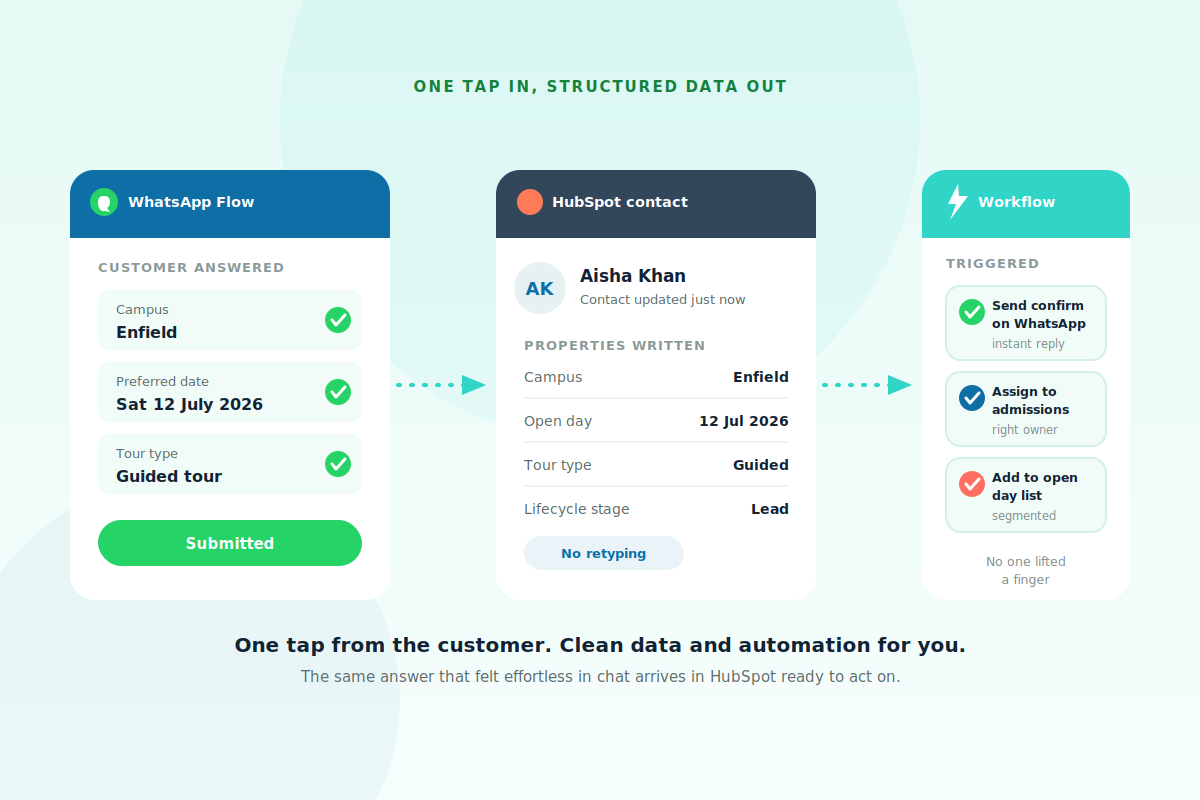
Flowella reads the form definition from HubSpot, generates the equivalent WhatsApp Flow, and uploads it to Meta. When someone completes the Flow, the answers write back as a native HubSpot form submission: same properties, same workflows, same reporting. No copy-paste, no shadow fields.
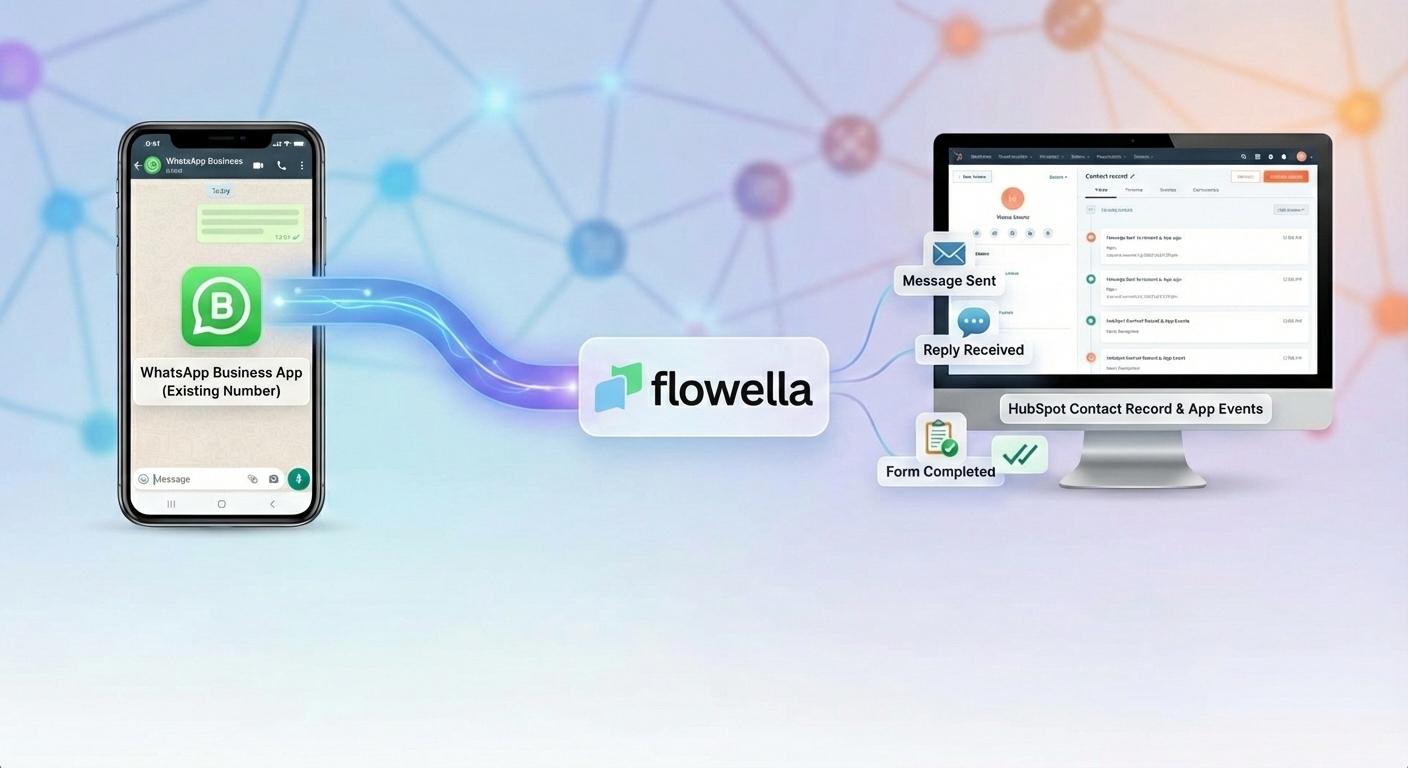
Connect Flowella as a custom channel in Inbox and Help Desk. WhatsApp threads sit next to email, chat, and calls. Route to owners or teams, open the live conversation from the contact timeline, and keep the CRM as the system of record.
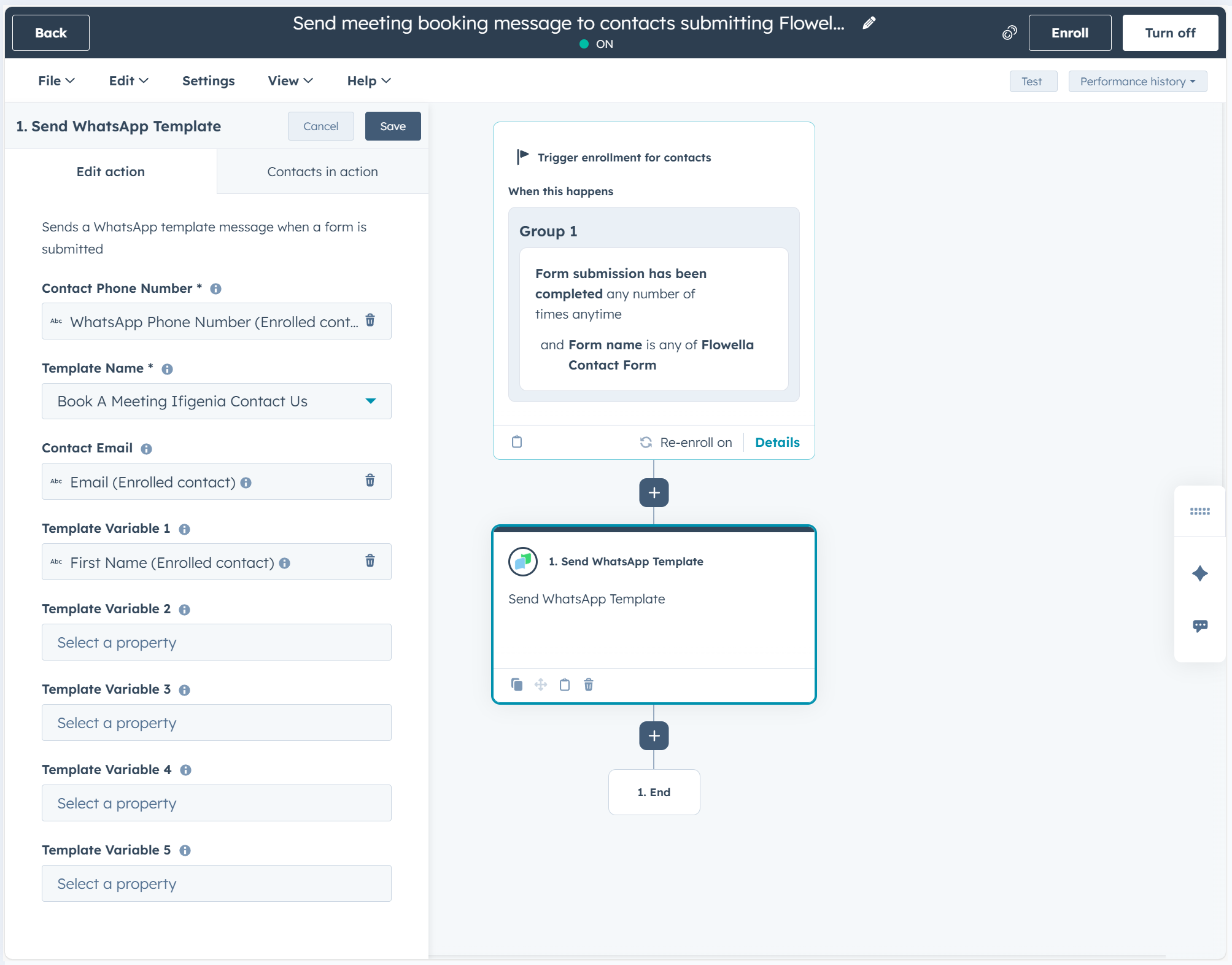
Search “Flowella” on the contact-based workflow canvas. Send a WhatsApp template or interactive Flow, send a message or window-safe reply, or assign the thread to a Breeze Customer Agent. Triggers fire on Form Completed, Text Reply, Message Read, and Message Sent.
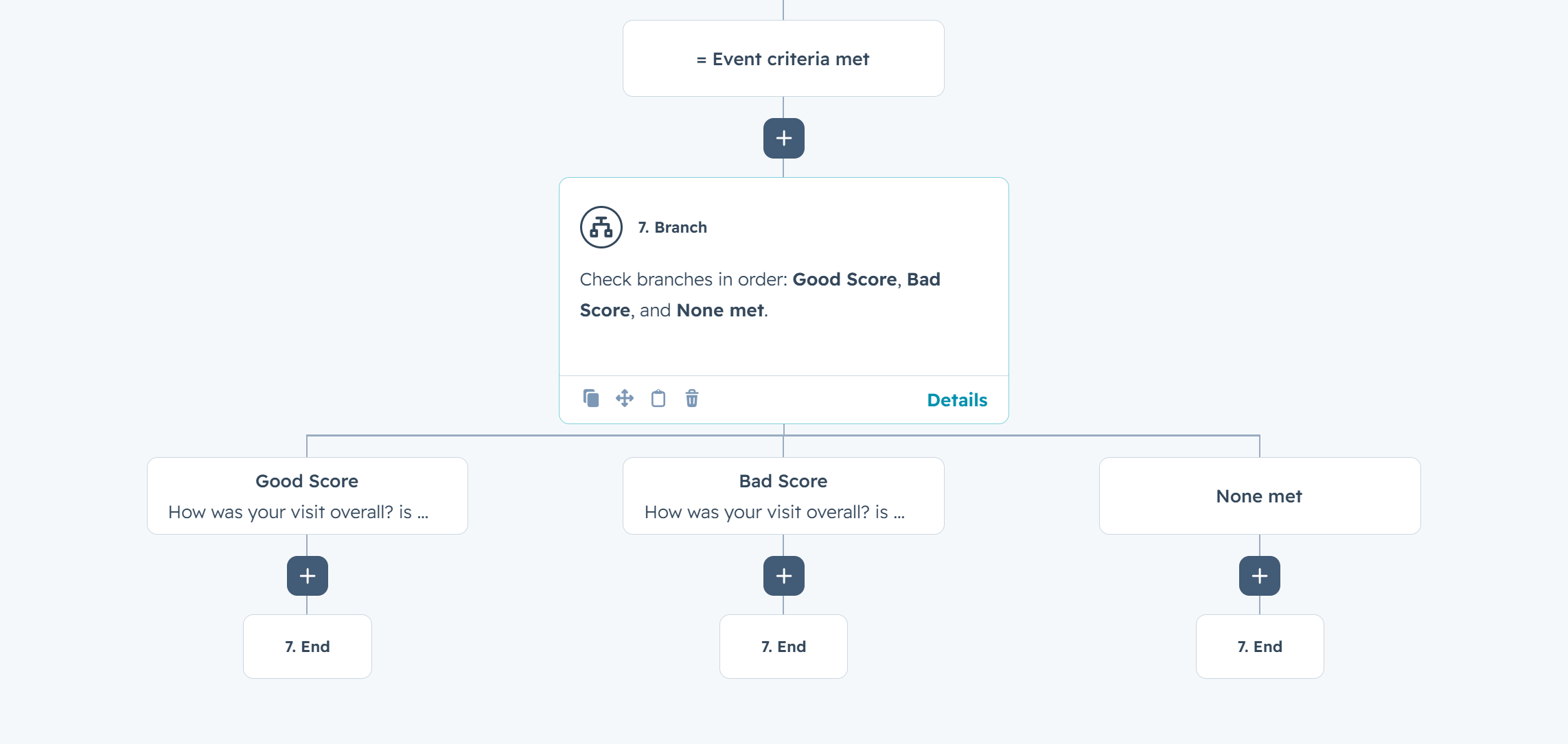
The pattern HubSpot teams already know: send a Flow, Delay until event (Form Completed or Text Reply), then branch on whether it happened, and on the answer. Completers go down the happy path. Non-responders get a reminder or an owner task. Keyword replies route without a chatbot sitting outside HubSpot.
Real WhatsApp workflows customers run on HubSpot today. Pick one, swipe the blueprint, ship it this week.
Book more meetings: WhatsApp calendar invite from HubSpot forms, smart nudges until Calendly books, reminders that cut no-shows.
 HubSpot
Raise more from supporters: video-led WhatsApp donation campaigns from HubSpot, exit on first donation, never ask twice.
HubSpot
Convert more web traffic: two-field form, then a 5-day WhatsApp drip that enriches the CRM and qualifies the lead before the SDR ever calls.
HubSpot
Renew more memberships with a 30-day WhatsApp cadence, value recap, one-tap renew, human handover, and win-back exit.
HubSpot
Complete KYC faster with WhatsApp document requests, missing-file nudges, verification branches, and manual review only for exceptions.
HubSpot
Verify users faster with WhatsApp OTP, single-use codes, retry branching, fail-closed support, and audit logging.
HubSpot
Screenshots of Flowella inside HubSpot, not a product tour of our app.
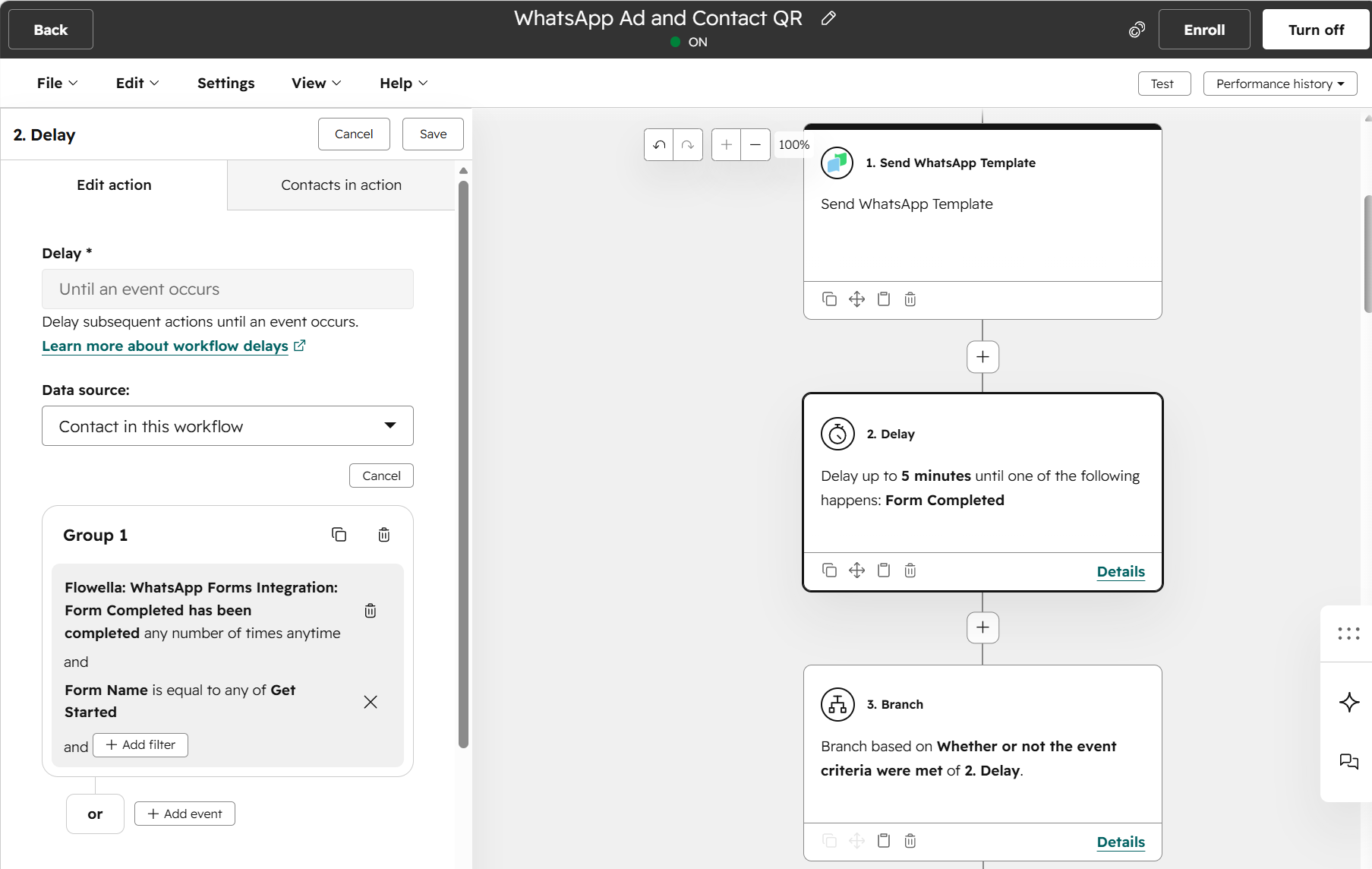
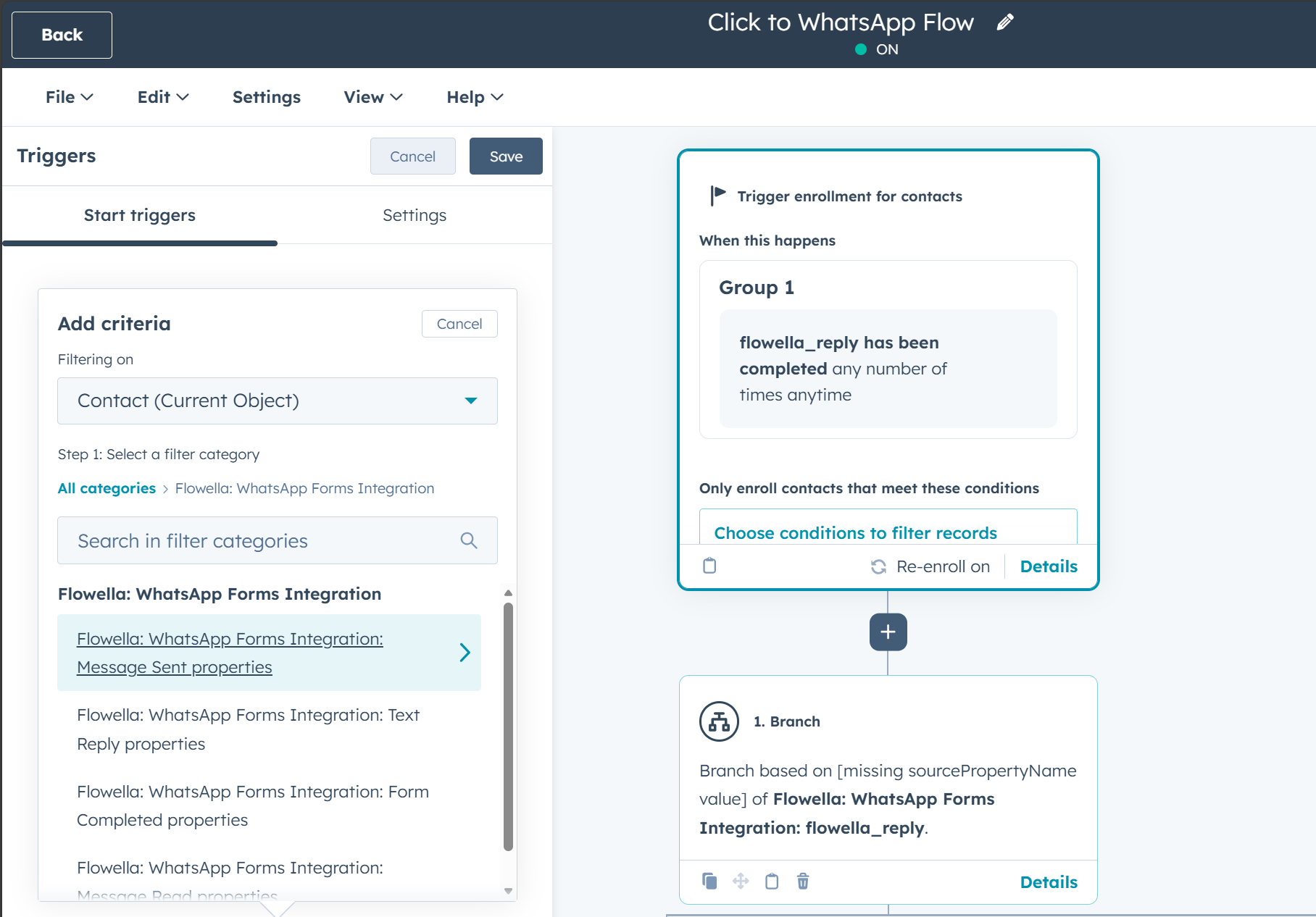

Exceptional engagement platform that transformed our student conversion with 160% increase in same-day applications and 90% WhatsApp response rates


Game-changing donation campaign tool that delivers personal WhatsApp engagement with seamless automation and dramatically better completion rates


We reached customers where they are. On WhatsApp! Seamless flows that feel like a mobile app, minus the build headaches.

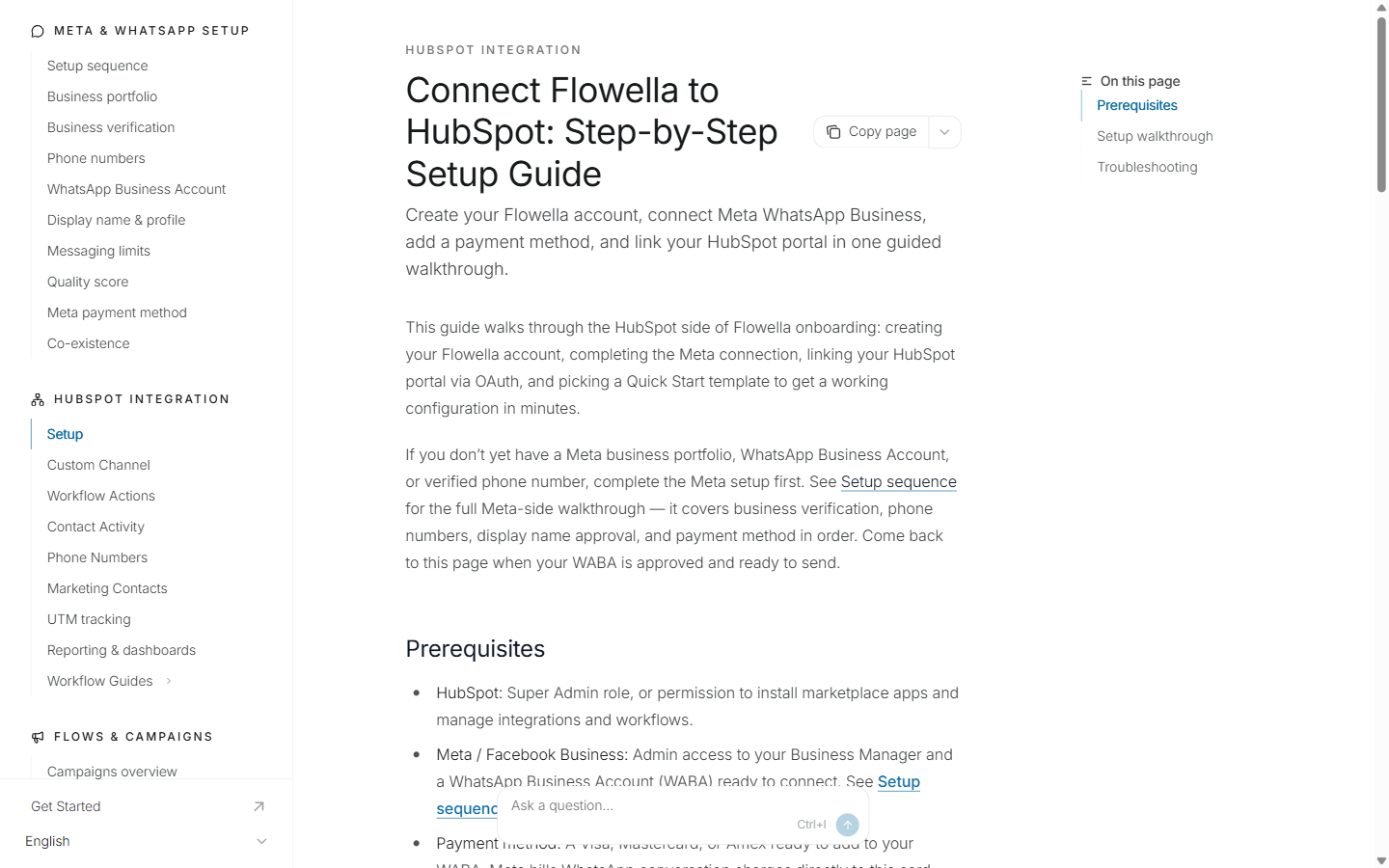
Step-by-step guides written for the person doing the setup, from the first OAuth connection to branching on Flow answers.
Setup · Inbox channel · Workflow actions · Forms sync · Contact activity · Architecture
Free 14-day trial. Create your Flowella account, connect HubSpot during onboarding, and send your first Flow the same day.
Book a Flowella demo · 30 minutes on Teams