Forms your customers actually finish, inside the chat they already trust.
A WhatsApp Flow is a guided, interactive form that opens right inside a WhatsApp chat. Customers tap through dropdowns, dates and choices instead of typing, and every answer comes back to HubSpot as structured data that can trigger a workflow. No app to download, no landing page, no copy and paste.
A real form, opened inside the conversation.
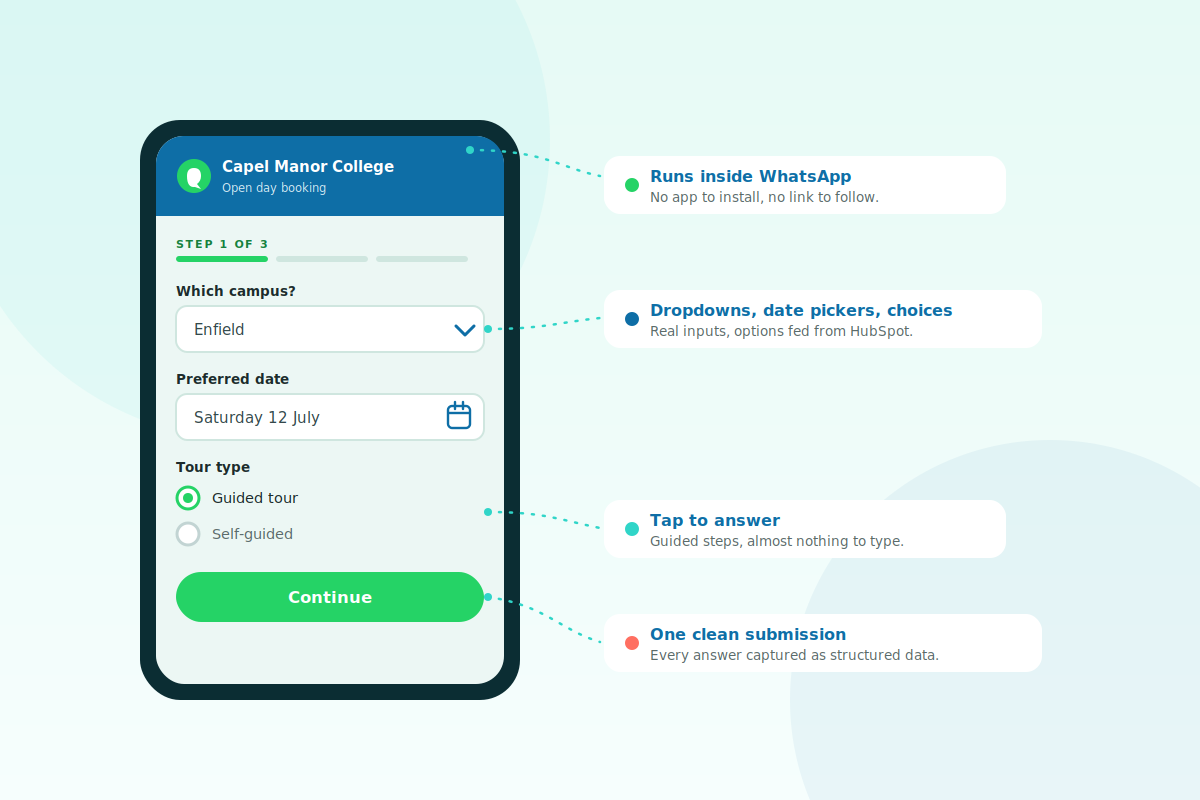
Send a message, the customer taps a button, and a multi-screen form opens without leaving WhatsApp. They answer with familiar controls, dropdowns, date pickers and single taps, then submit. It feels like a quick chat rather than paperwork, which is exactly why people finish it.
The web form, and the WhatsApp Flow.
The job is the same, collect an answer. The experience, and what you get back, are not.
Click out, and hope they come back.
You send a link. They leave the chat, wait for a page to load, pinch and zoom on a phone, and many give up before the end. What does arrive is often half complete.
- Context switch out to a browser
- Slow or clumsy on mobile
- Abandoned halfway through
Stay in the chat, and finish in seconds.
The form opens where the conversation already is. Guided steps, native controls and nothing to load, so more people complete it and the answers come back clean.
- No app, no link, no waiting
- Guided, tap-first steps
- Finished in one sitting
- ⏱️ 30 seconds · Card on file
- 👤 With · Membership team
- 📩 Receipt sent here after renewal
Choose your plan
- 🏆 Annual · £49 ✓
- 🎯 Quarterly · £15 ✓
- 📅 Monthly · £6 ✓
Powered by Flowella · Secure renewal
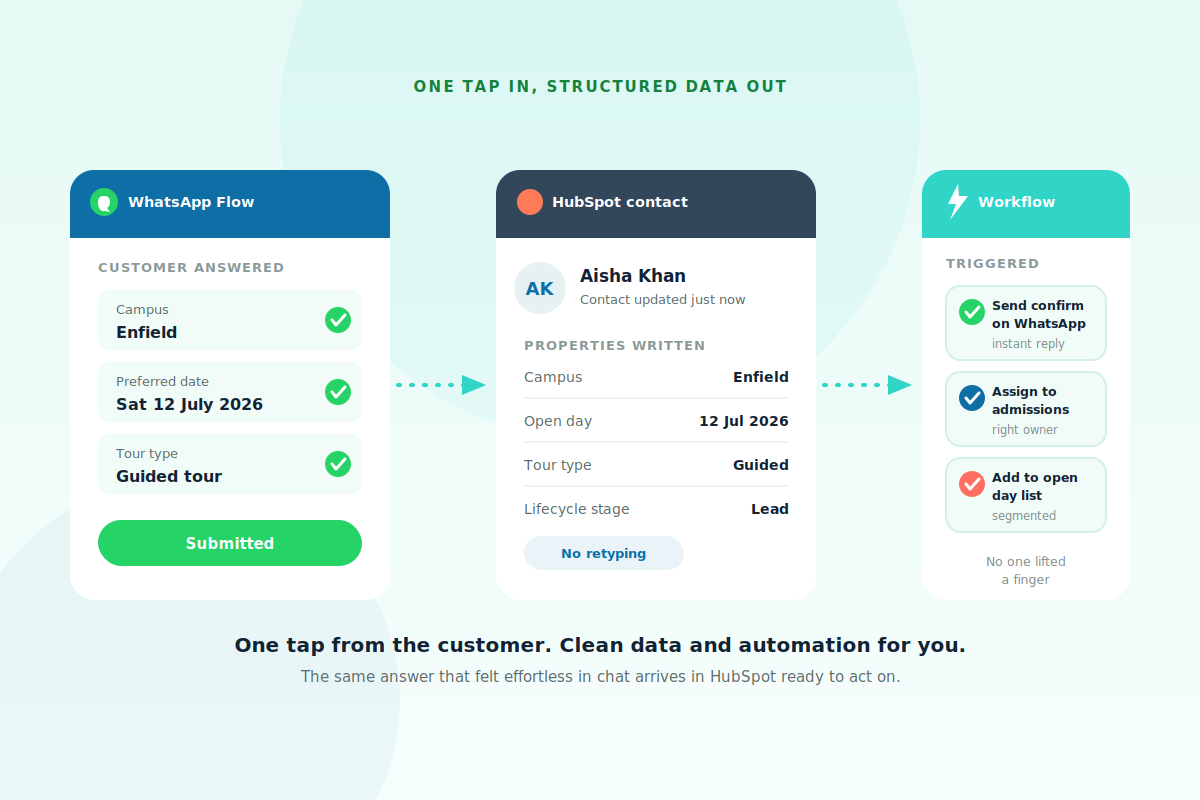
Every answer arrives as structured data.
This is where a Flow pulls ahead of an ordinary chat. Each answer maps to a HubSpot property, so a booking or enquiry lands as clean fields on the contact record, not a paragraph someone has to read and retype. From there a workflow can fire instantly, confirming by WhatsApp, assigning an owner and adding the contact to the right list.
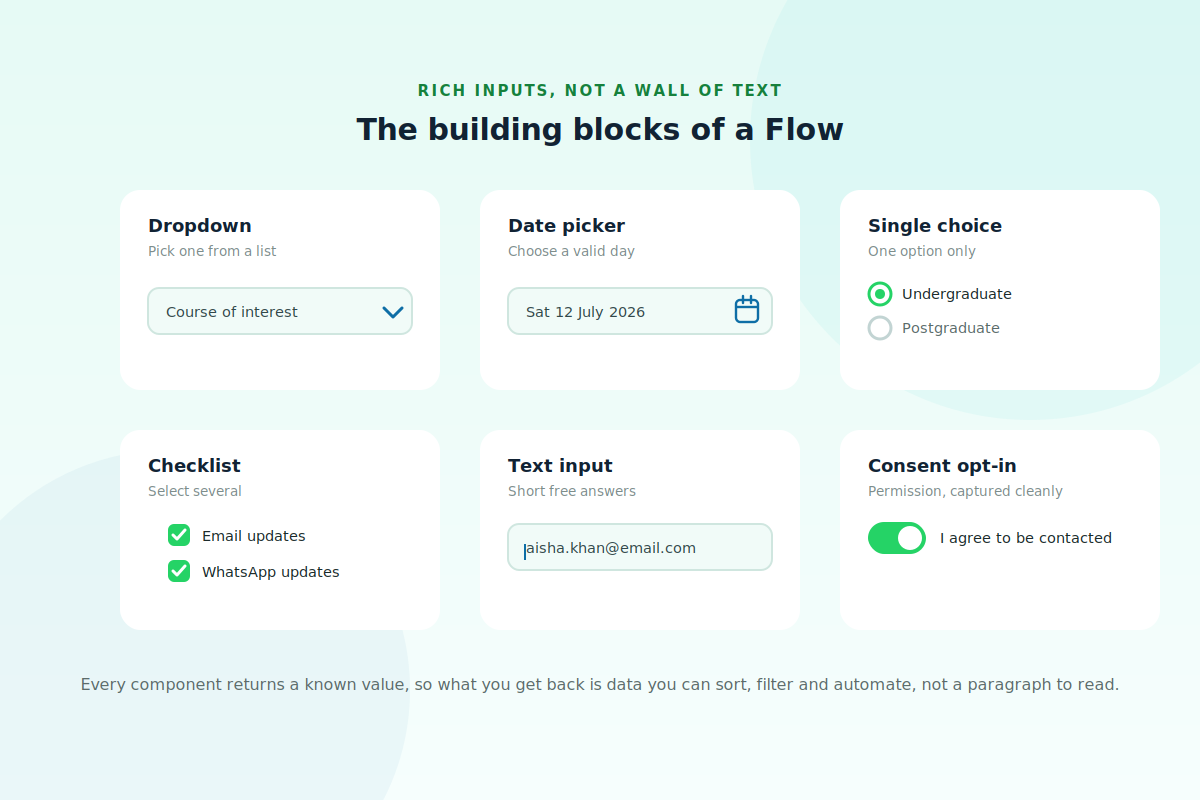
Inputs that guide the answer.
A free-text chatbot leaves people guessing and hands you messy replies to interpret. A Flow gives them real controls instead, dropdowns, date pickers, single and multiple choice, short text and consent opt-ins, so the question is clear and the answer is always a known value. Cleaner for them to complete, cleaner for you to act on.
What teams build with Flows
Anywhere you need a clean answer from someone, a Flow tends to beat a form or a back and forth.
| Use case | What the Flow does | What lands in HubSpot |
|---|---|---|
| Lead capture and qualification | A few tap-through questions to size and route the lead | A scored, segmented contact ready for sales |
| Bookings and appointments | Pick a service, date and time inside the chat | A confirmed slot with a reminder workflow |
| Event and open day sign-ups | Register and choose preferences in seconds | An attendee added to the right event list |
| Applications and onboarding | Collect details step by step, no portal login | Structured fields, with no manual entry |
| Surveys and feedback | Ask with ratings and choices, not open text | Quantified responses you can report on |
| Reorders and renewals | Confirm and adjust an existing order by tapping | An updated deal, ready for automation |
Straight answers.
The questions that usually come up.
Do customers need to install anything?
No. A Flow runs inside the WhatsApp people already have. There is no app to download and no link to a separate website.
How is this different from a chatbot?
A chatbot collects free text that someone still has to read and interpret. A Flow uses real form controls, so each answer is a known value that maps straight to a HubSpot property.
Where do the answers go?
Straight into HubSpot as a structured submission on the contact record, which can trigger a workflow immediately. There is no copying and pasting.
Do I need a developer to build one?
No. With Flowella you start from a HubSpot form and it becomes a native WhatsApp Flow, so the people who own the form can build the Flow.
Can a Flow have more than one screen?
Yes. A Flow can span several screens with branching, so you can ask follow-up questions only when they are relevant.
What can trigger a Flow being sent?
A reply, a campaign, a QR code or a HubSpot workflow can all send the message that opens the Flow. The setup guide covers each option.