flow
Use Cases / Donation Campaigns

Video-led giving.
Donation campaigns, on WhatsApp.

Lead with story, not ask. A short founder video lands the why; a cadence of fresh videos every few days builds the case. The moment they donate, the workflow shuts up & says thank you.

£50k+Raised in one campaign
4.1×Conversion vs email-only
71%Video play-through rate
The workflow

The blueprint.

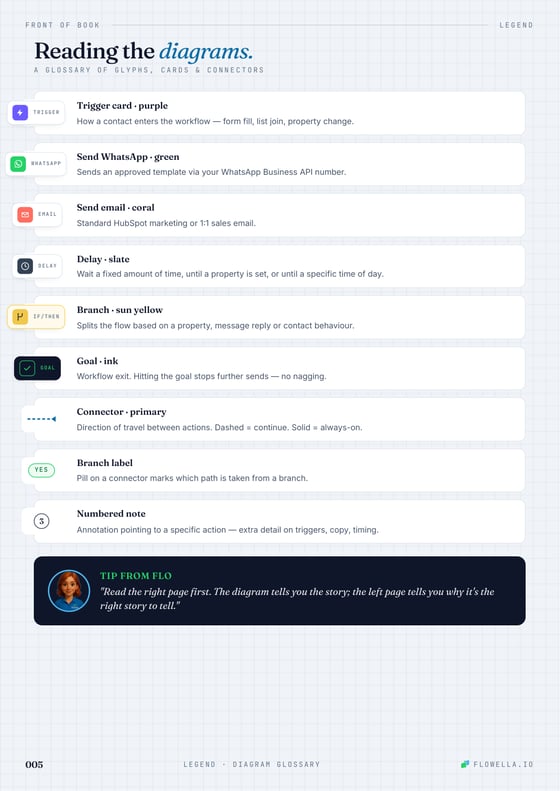
Five sends, one branch, one goal. Square cards = HubSpot actions. Donation detected anywhere along the way exits the appeal track and routes the supporter to a thank-you video — never another donate-now message in this campaign.

app.flowella.io / workflows / donation-campaigns

Workflow diagram requires JavaScript.

WhatsApp templates

Copy that actually gets watched.

Three approved templates carry the appeal: the founder hook, the beneficiary story, and the deadline urgency send. Submit them once to Meta — Flowella merges the variables & the video at send time.

tmpl_donate_video_01 Founder hook
Day 0 · The why
CategoryMarketing
Localeen_GB
tmpl_donate_video_02 Beneficiary story
Day 3 · The impact
CategoryMarketing
Localeen_GB
tmpl_donate_video_03 Deadline & match
Day 6 · The urgency
CategoryMarketing
Localeen_GB
What it does

Five things that raised £25,000 while the inbox-only appeal was still warming up.

01

Sends video #1 immediately — founder to camera, 30–60 seconds, vertical, captioned for sound-off.

02

Waits 3 days, then video #2 — beneficiary story, different face, different angle, hard proof.

03

Waits 3 days, then video #3 — urgency, deadline, match-funding, donate button right in-thread.

04

Stops the moment a donation lands — Stripe / Enthuse webhook flips has_donated = true and the appeal exits.

05

Soft-closes the rest — a polite end-of-cycle send and a list segment for the next campaign — never a guilt-trip.

Deep dive

Why this play raised £50k+ — and how to push it further.

A guide to the mechanics behind donation campaigns on WhatsApp: why video destroys polished email appeals, the levers that drive lift, ways to extend the play to recurring giving and major donors, and the operational gotchas every charity hits in week one.

01 Why WhatsApp video wins for fundraising

Charity inboxes are graveyards. Open rates on supporter mailings have been declining for a decade and now sit at ~22% for warm lists, with most of the action happening in the first hour and almost none after day two. WhatsApp opens are 98% with median read time under two minutes — but the real unlock is video.

WhatsApp auto-plays the first frame of a vertical video in the chat preview. Supporters see a face, a place, a moment, before they decide whether to engage. A short, human-shot video from a founder, beneficiary or campaigner outperforms a polished email appeal by orders of magnitude — because it doesn't feel like an appeal, it feels like the person on the ground sending you a note.

  • 98% open rate on first WA video vs ~22% for cold email.
  • 71% play-through rate — the autoplay preview is the ad.
  • Vertical, captioned, <60s — the only spec that matters; phones are vertical and supporters watch on mute.
  • Story before ask — the donate button is the last beat, not the first frame.
  • Silent after "yes" — wire your Flow to the CRM milestone (donation cleared, booking confirmed, ticket closed) and let the thread go quiet the instant the job is done. No duplicate ask, no nudge — one trustworthy conversation people actually open next time.

02 How to enhance this workflow

The five-step blueprint is the floor, not the ceiling. Every charity that runs this for more than one campaign ends up layering in segmentation, recurring giving and major-donor flows — and the lift compounds with each cycle.

  • Recurring giving on the yes-branch — after the thank-you video, offer a one-tap monthly gift at 10% of the one-off amount.
  • Major-donor split — supporters with lifetime giving > £500 land on a parallel track with a personal video from the CEO, not the appeal cadence.
  • Match-funding ladder — pull match progress (e.g. match_remaining) into Video #3's caption to make urgency real.
  • Gift Aid in-thread — collect the Gift Aid declaration as a Flow on the thank-you, not a separate email later.
  • Multi-language video — submit the same template in EN/CY/GD for cause-specific regional appeals.
  • Beneficiary social-proof carousel — Video #2 can be a short carousel of three 15-second clips instead of one 60-second piece.

03 Tips, tricks & gotchas

The places charities get stuck are nearly always around video file size, donation-platform webhooks, and edge cases at the close of an appeal.

  • Keep video <16 MB — Meta's hard limit; compress vertical 9:16 H.264 at ~3 Mbps.
  • Submit templates 48 hours ahead — Meta's review for video templates is fast but not instant.
  • Idempotent donation webhooks — Stripe / Enthuse retry on failure; key your exit branch on the donation event ID, not a property write.
  • Honour STOP/UNSUBSCRIBE — write a global suppression branch; a re-asked supporter is a lost supporter.
  • Quiet hours — clamp sends to 9–18 in the supporter's timezone; donation appeals at 11pm get reported.
  • Match-end timing — schedule Video #3 to land 24 hours before the match-funding deadline, not the moment it closes.
  • Gift-aid record — stamp gift_aid_consent_at on the contact at thank-you for HMRC audit trail.

The meta-point: charity inboxes are graveyards, but supporters live in WhatsApp. The number that matters here isn't open rate; it's the ratio of people who watched the video to the people who acted on it. WhatsApp gets you the watch. Video gets you the act. The workflow exits the second the till rings — and that, more than anything else, is why supporters opt in to the next campaign.

Proof

What it looks like in the wild

We sent a single founder video to our supporter list on WhatsApp. Inside ten days the campaign had raised over £25,000 — more than the previous email-led appeal had managed in a quarter.

Tim Bonner
Chief Executive, Countryside Alliance
Read case study
£50k+Raised in 10 days
4.1×vs email-led appeal
71%Video play-through
Keep exploring

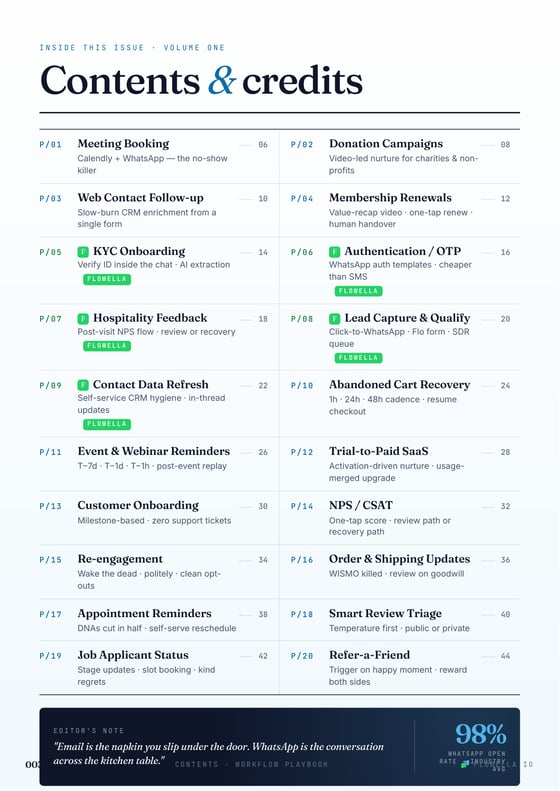
Every Flowella use-case page is built from the same HubDB schema. Filter by platform, category, or industry to find the play that fits.

Meeting Booking Workflow

Book more meetings: WhatsApp calendar invite from HubSpot forms, smart nudges until Calendly books, reminders that cut no-shows.

Platform
HubSpot Calendly
Category
Sales Communication
Industry
Professional Services B2B SaaS Agencies
View workflow →

Web Contact Follow-up

Convert more web traffic: two-field form, then a 5-day WhatsApp drip that enriches the CRM and qualifies the lead before the SDR ever calls.

Platform
HubSpot
Category
Marketing Communication
Industry
B2B SaaS FinTech Professional Services
View workflow →

Membership Renewals

Renew more memberships with a 30-day WhatsApp cadence, value recap, one-tap renew, human handover, and win-back exit.

Platform
HubSpot Stripe
Category
Retention Communication
Industry
Professional Services B2B SaaS
View workflow →

KYC Onboarding

Complete KYC faster with WhatsApp document requests, missing-file nudges, verification branches, and manual review only for exceptions.

Platform
HubSpot
Category
Onboarding Support
Industry
FinTech Healthcare
View workflow →

Authentication / OTP

Verify users faster with WhatsApp OTP, single-use codes, retry branching, fail-closed support, and audit logging.

Platform
HubSpot
Category
Support Communication
Industry
FinTech Healthcare
View workflow →

Hospitality Feedback

Catch bad nights before they hit Google with WhatsApp NPS, promoter review CTAs, detractor recovery, and cohort tagging.

Platform
HubSpot
Category
Support Retention Communication
Industry
Hospitality
View workflow →

Lead Capture & Qualify

Qualify captured leads with WhatsApp questions, scoring, high-fit sales routing, and nurture for low-urgency contacts.

Platform
HubSpot
Category
Sales Marketing Communication
Industry
B2B SaaS Agencies Professional Services
View workflow →

Contact Data Refresh

Refresh stale CRM records with WhatsApp confirmations, structured corrections, one reminder, and a clear freshness flag.

Platform
HubSpot
Category
Support Retention Communication
Industry
Professional Services B2B SaaS Healthcare
View workflow →

Abandoned Cart Recovery

Recover abandoned carts with WhatsApp reminders, purchase-status exits, support-first rescue, and controlled incentives.

Platform
HubSpot Stripe
Category
Retention Marketing Communication
Industry
B2B SaaS FinTech Agencies
View workflow →

Event & Webinar Reminders

Increase event and webinar attendance with WhatsApp confirmations, timed reminders, attendance branching, replay follow-up, and HubSpot scoring.

Platform
HubSpot Calendly
Category
Marketing Communication Sales
Industry
B2B SaaS Agencies Professional Services
View workflow →

Trial-to-Paid SaaS

Convert SaaS trials with WhatsApp activation nudges, usage-based branching, support rescue, upgrade CTAs, and Stripe-paid exits.

Platform
HubSpot Stripe
Category
Onboarding Retention Sales Communication
Industry
B2B SaaS Agencies Professional Services
View workflow →

Customer Onboarding

Guide new customers to first value with milestone WhatsApp prompts, setup nudges, support rescue, and HubSpot onboarding status updates.

Platform
HubSpot
Category
Onboarding Support Communication
Industry
B2B SaaS Agencies Professional Services
View workflow →

NPS / CSAT

Collect one-tap NPS or CSAT scores on WhatsApp, branch promoters, passives, and detractors, then route reviews or recovery in HubSpot.

Platform
HubSpot
Category
Support Retention Communication
Industry
B2B SaaS Professional Services Healthcare
View workflow →

Re-engagement

Wake dormant contacts with a WhatsApp preference prompt, branch interest, snooze, and opt-out paths, and clean HubSpot automatically.

Platform
HubSpot
Category
Retention Marketing Communication
Industry
B2B SaaS Agencies Professional Services
View workflow →

Order & Shipping Updates

Reduce WISMO tickets with WhatsApp order confirmations, dispatch updates, delivery branches, delay recovery, and review prompts.

Platform
HubSpot Stripe
Category
Support Retention Communication
Industry
Professional Services Agencies B2B SaaS
View workflow →

Appointment Reminders

Cut no-shows with WhatsApp appointment confirmations, timed reminders, prep requests, self-serve reschedule, and attendance follow-up.

Platform
HubSpot Calendly
Category
Sales Support Communication
Industry
Healthcare Professional Services B2B SaaS
View workflow →

Smart Review Triage

Route review requests intelligently with a WhatsApp temperature check, public review links for happy customers, and private recovery for unhappy ones.

Platform
HubSpot
Category
Marketing Support Communication
Industry
B2B SaaS Professional Services Healthcare
View workflow →

Job Applicant Status

Improve candidate experience with WhatsApp application confirmations, stage updates, interview booking, offer or regret messages, and hiring outcome tracking.

Platform
HubSpot
Category
Sales Support Communication
Industry
B2B SaaS Professional Services Agencies
View workflow →

Refer-a-Friend

Turn happy customers into tracked referrals with WhatsApp invites, unique links, friend signup checks, thank-you messages, and two-sided rewards.

Platform
HubSpot
Category
Retention Marketing Communication
Industry
Agencies B2B SaaS Professional Services
View workflow →
Browse all workflows →
One-click build

Install Flowella and ship this appeal first.

Free 14-day trial. Run your next campaign on WhatsApp video — every supporter, every video, every thank-you, on the channel that gets watched.